
What it does
- Stability Trak evaluates recent parameter history for the selected tank and presents an overall state plus per-parameter summaries.
- You can compare multiple windows, inspect direction and freshness, and open a parameter explanation when the history is sparse or slipping.
- The screen can prepare a TrakAI question using the same multi-window stability context for a deeper, user-controlled review.
Why you would use it
A value can sit inside a target range today while moving quickly in the wrong direction. Stability Trak makes the pattern and the age of the evidence visible, helping the keeper decide what needs a fresh test or closer observation.
How to use it
Start here: Start from the tank overview and tap the Stability Trak rail below the tank photo.
- Open the tank you want to evaluate and tap the Stability Trak rail below the tank photo.
- Read the overall status and score as a summary of steadiness, not a guarantee that the aquarium is healthy.
- Choose the 7-day, 30-day, 90-day, 180-day, or 1-year window that matches the question you are asking.
- Read each parameter card’s explanation, reading count, freshness, swing, and recent direction before relying on its label.
- Open a parameter card to review its current, minimum, maximum, average, swing, trend per day, coverage, dates, and target range.
- Log new tests when the evidence is sparse or stale, refresh Stability Trak, and only then make a trend-based decision or prepare a TrakAI question.
Stability Trak screenshots
This capture comes from the current Reef Trak interface. Numbered callouts identify the key controls; the text guide carries the full workflow.
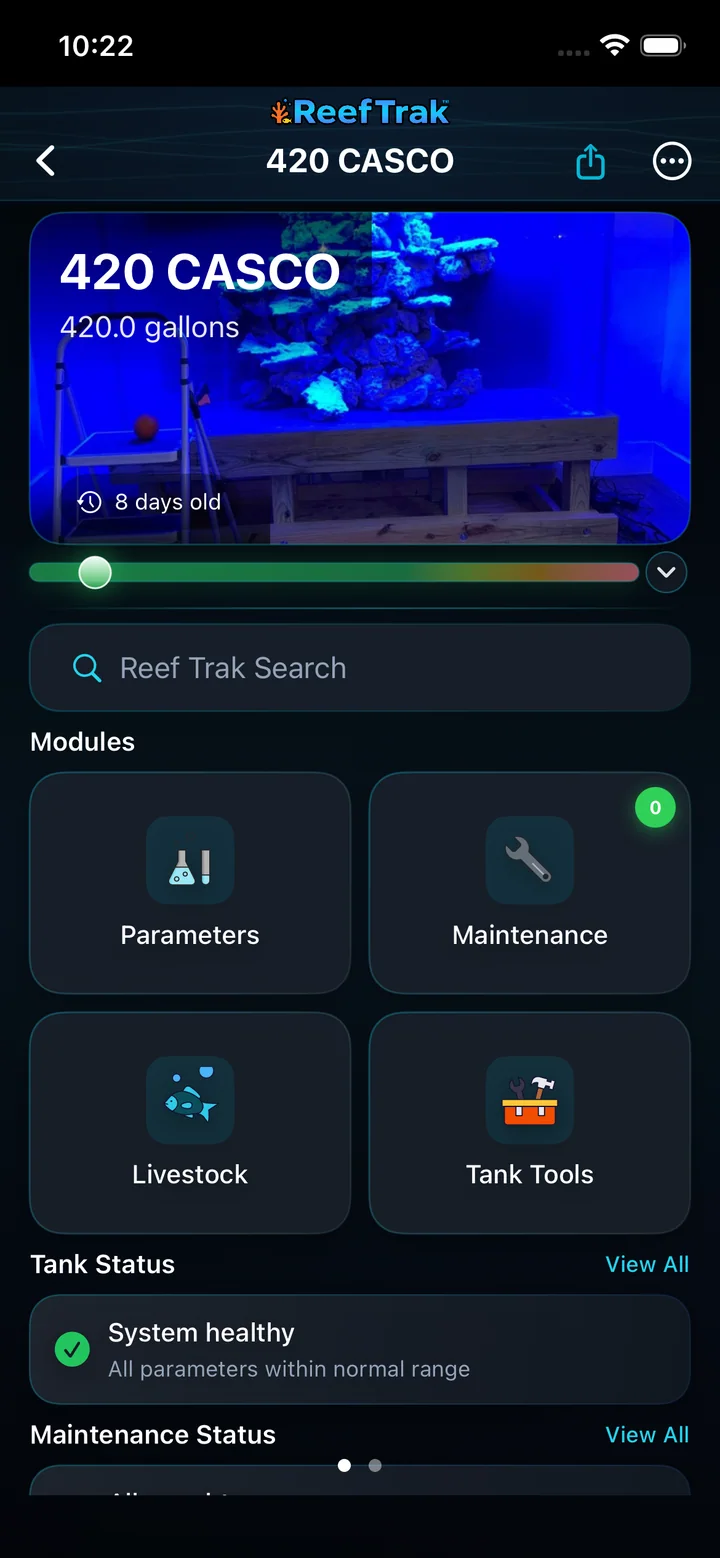 1
1
- Tap the Stability Trak rail to open the full tank analysis.
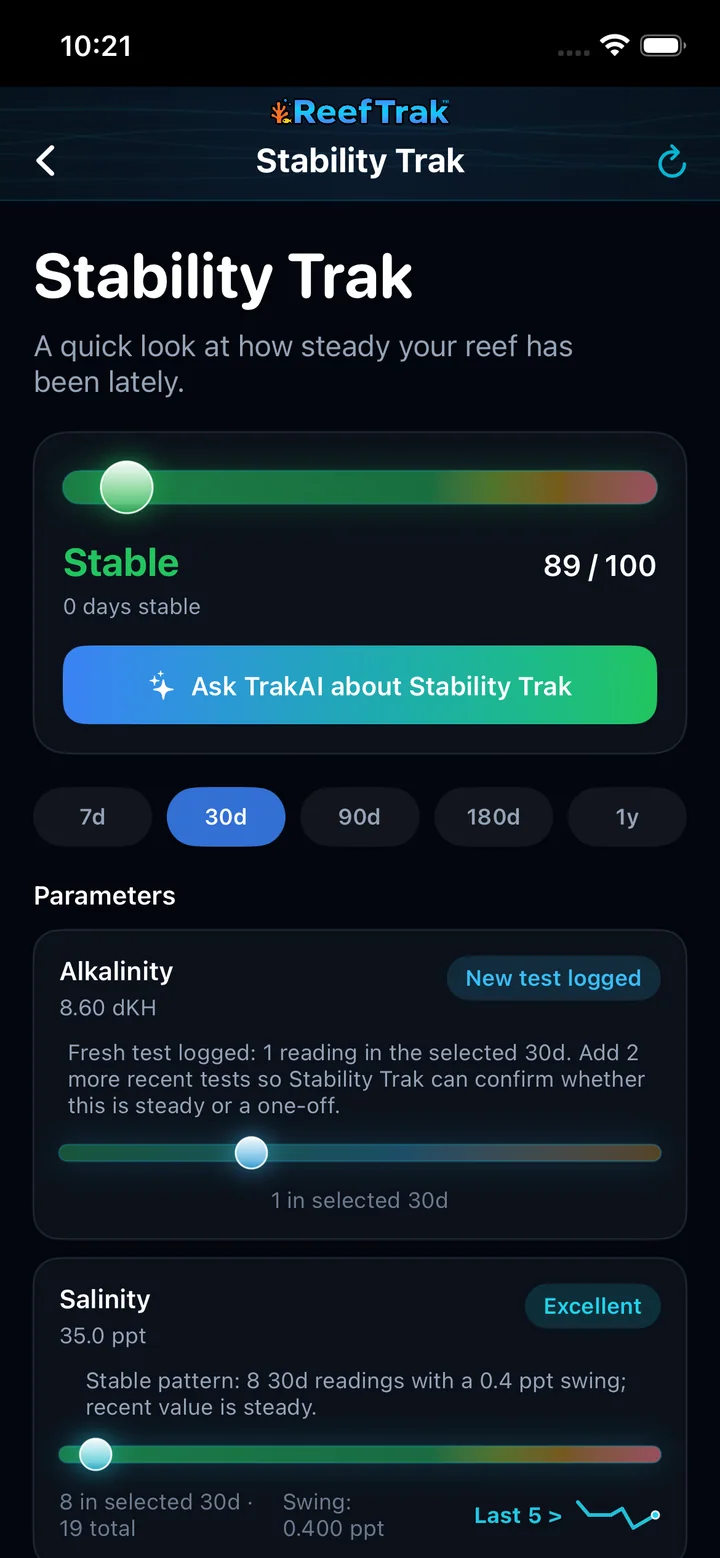 2345
2345
- Read the overall status and score as a steadiness summary, not a health diagnosis.
- Choose 7 days, 30 days, 90 days, 180 days, or 1 year.
- Use the explanation and reading count to judge whether the evidence is fresh enough.
- Open a parameter card to see the evidence behind its status.
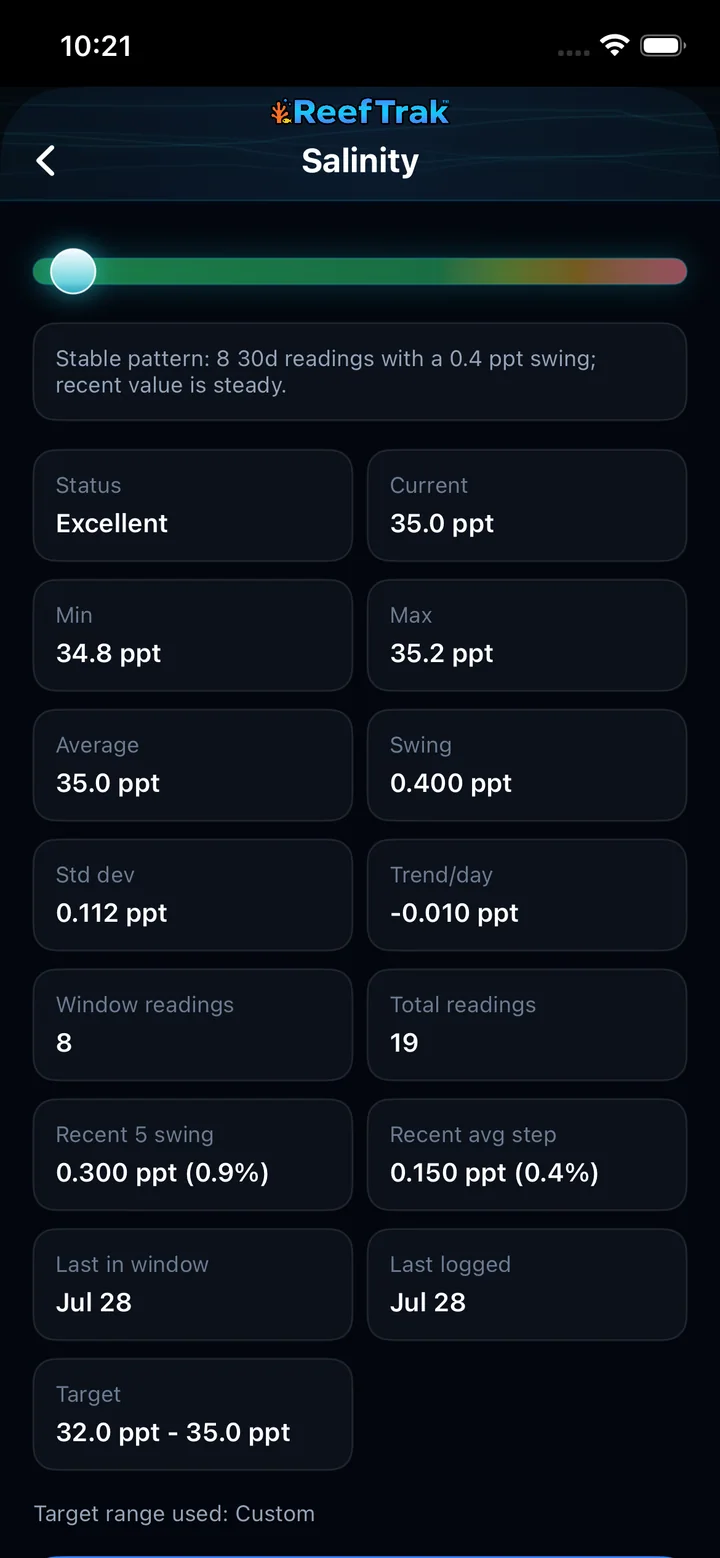 56
56
- Confirm the written explanation before interpreting the statistics.
- Review swing, trend, reading coverage, dates, and the target range used before acting.
Example
Alkalinity is still inside the keeper’s chosen range, but several tests show a consistent decline. Stability Trak can flag the slipping pattern while also showing that a different parameter lacks enough fresh readings to judge.
Important details
- Requires a tank and enough dated measurements to evaluate a trend.
- A stability status is an interpretation of logged history, not a water test and not a diagnosis.
- Custom parameter ranges affect context; keep them realistic for the actual aquarium strategy.
Stability Trak frequently asked questions
When was Stability Trak introduced in Reef Trak?
Stability Trak was first documented in Reef Trak on May 1, 2026. The supporting chronology identifies it as a public 2.1.5 release.
What is a reef tank stability tracker?
A reef tank stability tracker compares dated parameter readings across a selected period. Stability Trak summarizes range, swing, direction, and confidence so a keeper can see whether the evidence looks steady, is changing, or is too sparse to judge.
Does a Stable Stability Trak score mean my reef tank is healthy?
No. Stability Trak measures how steady the logged parameters have been. A consistently incorrect value can be stable, and unlogged biological or equipment problems are outside the score. Use it as trend evidence, not as a health guarantee or diagnosis.
How many test readings does Stability Trak need?
The minimum depends on the selected window: 2 readings for 7 days, 3 for 30 days, 6 for 90 or 180 days, and 8 for 1 year. More well-spaced, recent readings improve confidence beyond those basic minimums.
What time windows can Stability Trak compare?
Stability Trak provides 7-day, 30-day, 90-day, 180-day, and 1-year views. Short windows emphasize recent movement; longer windows reveal the broader pattern when enough dated tests exist.
What does New test logged mean in Stability Trak?
It means a fresh measurement is present but the selected window does not yet contain enough readings to confirm a stable pattern. The card tells you how many additional recent tests are needed.
Can TrakAI explain a Stability Trak result?
Yes. The Ask TrakAI action prepares a question with Stability Trak context from multiple windows plus relevant tank history. Review the included context and the generated response before using it to inform aquarium care.
Open in Reef Trak
The button opens this destination when the installed app supports it. The browser fallback offers only platforms where the current inventory confirms availability.