
What it does
- Parameters records routine reef measurements such as nitrate, phosphate, alkalinity, salinity, pH, calcium, magnesium, ORP, and temperature plus supported trace and pollutant results.
- Each parameter has a status, dated history, time-range chart, source visibility, recent measurements, and default or tank-specific target range.
- Readings can be entered manually or imported through supported controller and ICP workflows while retaining their source identity.
Why you would use it
One aquarium test answers what was measured at one moment. A parameter tracker preserves when, how, and from which source each result arrived so trends, dosing response, Stability Trak, reports, and troubleshooting can use actual history instead of memory.
How to use it
Start here: Start from the correct tank and choose Parameters from the Modules section.
- Open the correct tank and choose Parameters.
- Choose the appropriate category and parameter. Use the row’s plus action for a manual result, or a supported controller or ICP import for readings from those sources.
- Confirm the value, unit, test source, and timestamp before saving; do not relabel an imported result as a manual test.
- Open the chart action for that parameter and choose the time range and chart view that match the question you are investigating.
- Read the status against the current default or custom target range and inspect which sources are visible.
- Review dated measurements before editing or deleting an outlier. Confirm suspicious results with a repeat test instead of silently removing inconvenient evidence.
Parameters screenshots
This capture comes from the current Reef Trak interface. Numbered callouts identify the key controls; the text guide carries the full workflow.
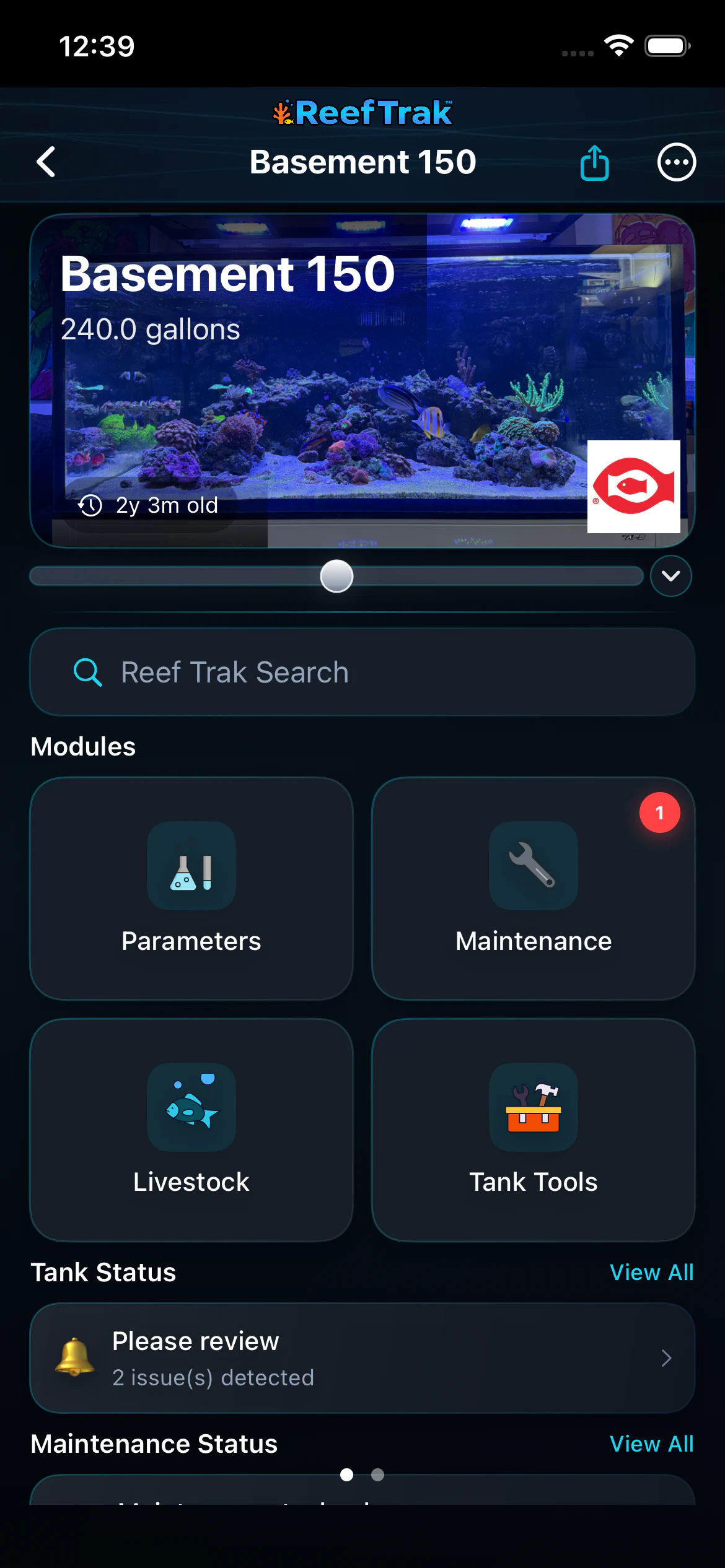 1
1
- Open Parameters for the current tank.
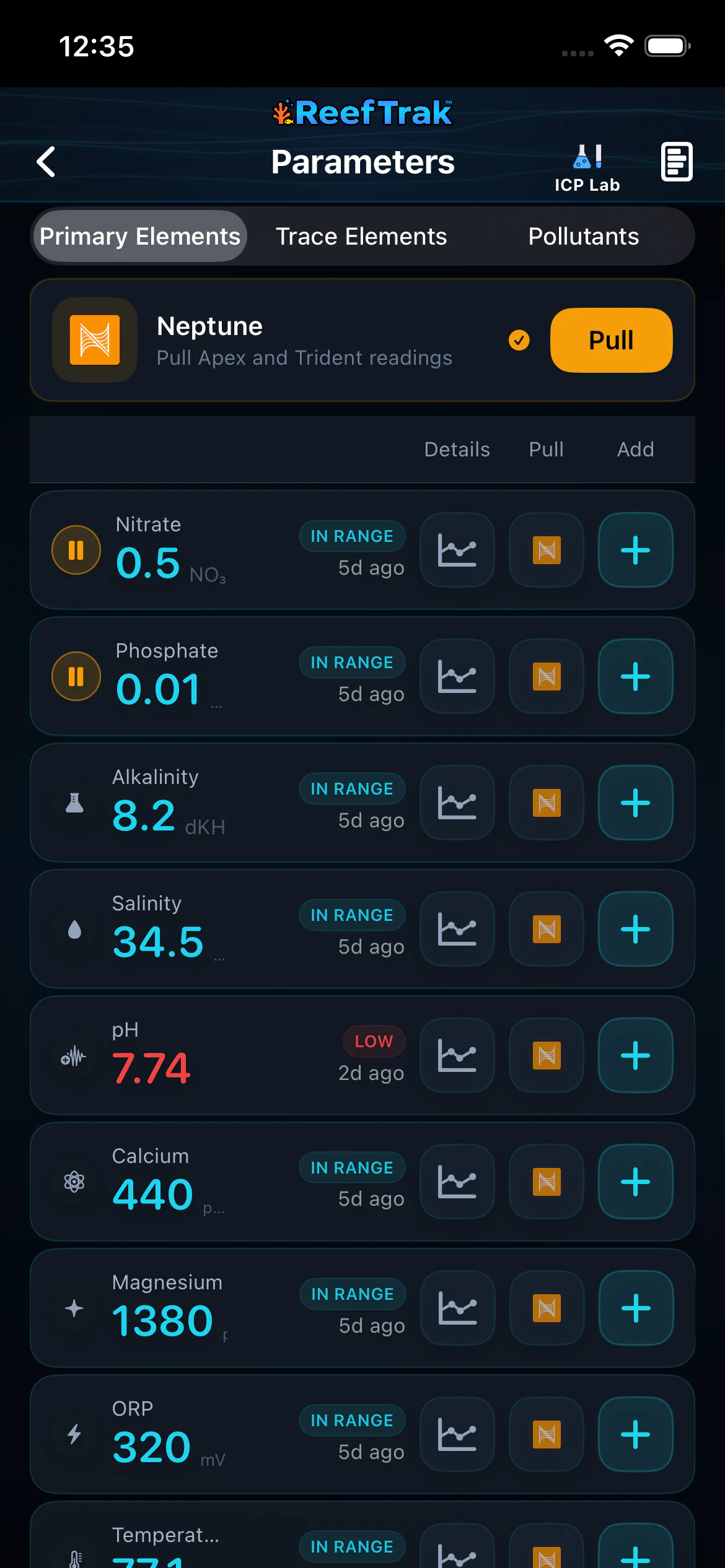 234
234
- Use a connected controller pull only when the correct source and tank are shown.
- Use the row’s plus button for a manual result or the chart button for history.
- Use ICP Lab for a supported lab result rather than mixing trace values into routine manual tests.
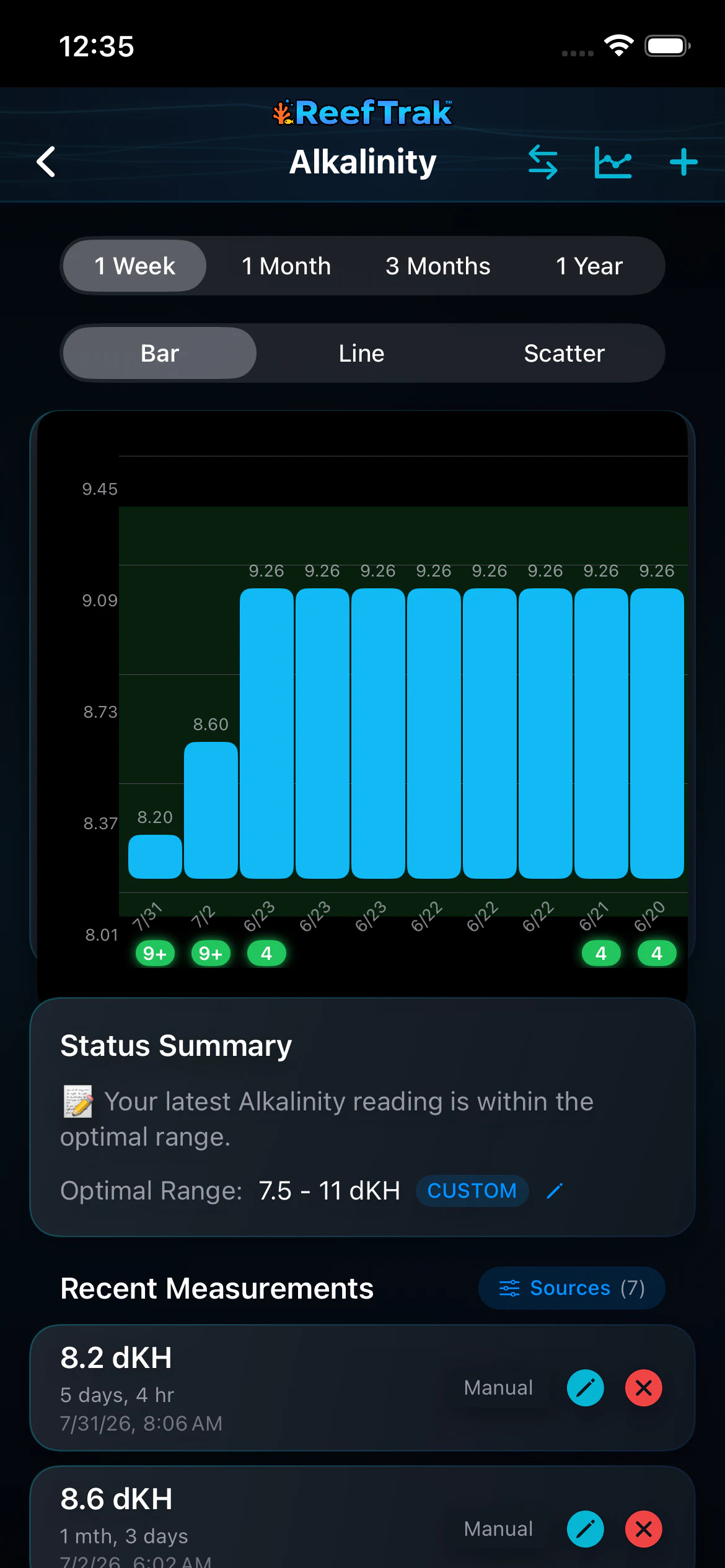 567
567
- Choose the time range and chart view that match the question you are investigating.
- Read the status against the tank’s current custom range.
- Review sources and dated measurements before editing, deleting, or acting on the trend.
Example
A keeper logs a manual alkalinity test, then later imports Trident results. The detail chart keeps both sources visible with their dates, allowing the keeper to compare the methods and review the trend against the tank’s custom range.
Important details
- Core parameter tracking is available without a Premium flag; connected tools may have their own access or setup requirements.
- A status label depends on the saved value, unit, timestamp, and current target range. It does not validate the test procedure or diagnose the aquarium.
- Keep source identity intact and confirm surprising values before changing dosing, livestock care, or equipment.
Parameters frequently asked questions
When was Parameters introduced in Reef Trak?
Parameters was first documented in Reef Trak on December 15, 2024. The supporting chronology identifies it as a pre-launch version-controlled record.
Which reef tank parameters can Reef Trak track?
The primary reef dashboard includes nitrate, phosphate, alkalinity, salinity, pH, calcium, magnesium, ORP, and temperature. Supported trace elements, pollutants, ICP values, and freshwater-aware parameters are available in their relevant categories.
Can Reef Trak separate manual tests from controller readings?
Yes. Parameter history retains source information so manual results, supported controller imports, and lab-style data can remain distinguishable.
Can I set custom target ranges for aquarium parameters?
Yes. Supported parameters can use tank-specific ranges, and those ranges affect status context, charts, alerts, and Stability Trak interpretation.
Should I delete an aquarium test result that looks wrong?
First confirm the unit, source, timestamp, and test procedure, then repeat the test when appropriate. Delete or edit a result only when you can establish that the saved record itself is incorrect.
What uses Reef Trak parameter history?
Saved measurements can feed parameter charts, reports, alerts, Stability Trak, dosing context, Tank Insights, TrakAI exports, and the Activity Log where supported.
Open in Reef Trak
The button opens this destination when the installed app supports it. The browser fallback offers only platforms where the current inventory confirms availability.