
What it does
- Dosing records what was added, when it was added, and which product or parameter goal it belongs to.
- Guided setup can use supported product instructions and recent parameter evidence to prepare a schedule or next dose for review.
- Safety holds prevent an enabled guided dose from proceeding normally when the relevant measured value reaches its configured limit.
Why you would use it
Reef chemistry changes are difficult to understand when test results and doses live in separate notes. Keeping both in the same timeline makes it easier to see consumption, response, missed doses, and risky corrections.
How to use it
Start here: Start from a tank in Reef Trak, choose Maintenance, then select Dosing.
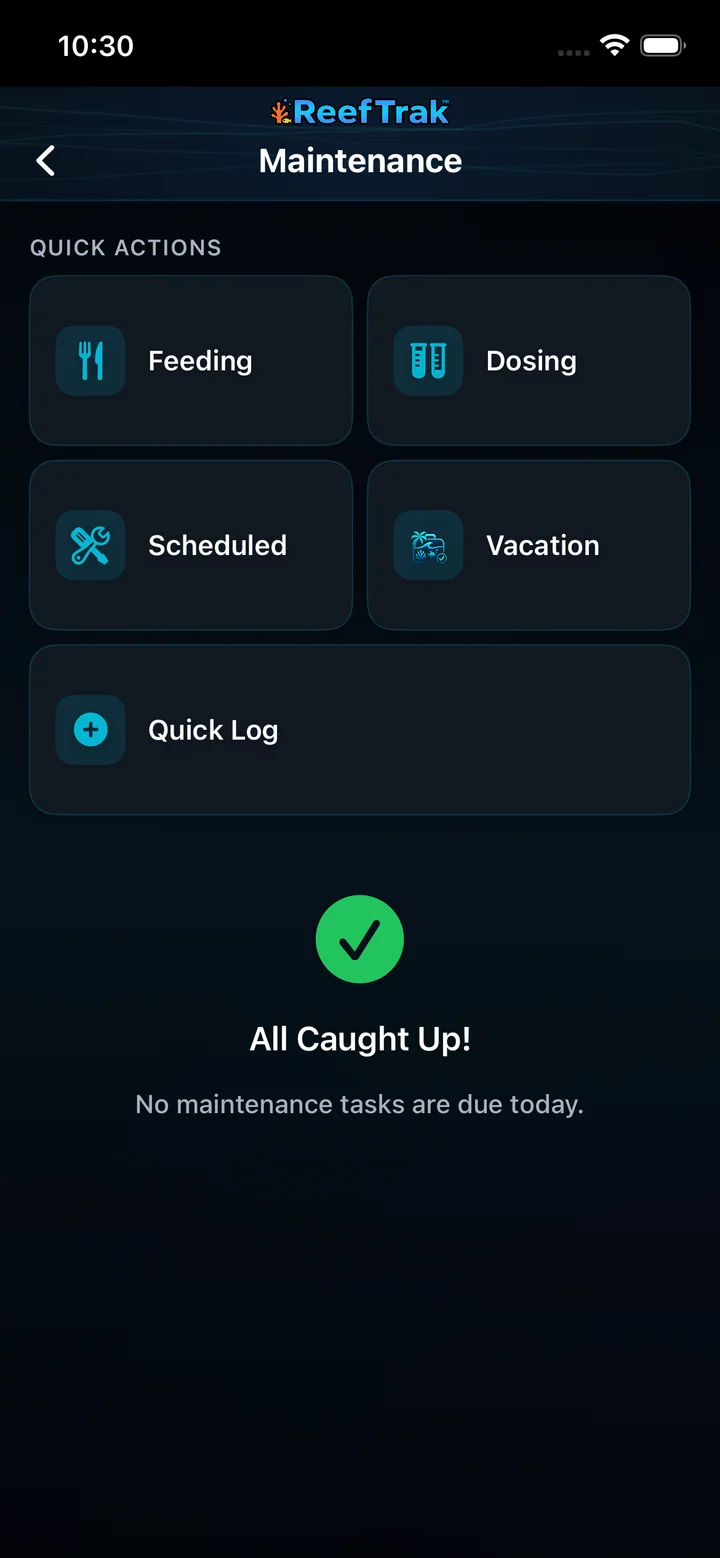
- Open the correct tank, choose Maintenance, and select Dosing from Quick Actions.
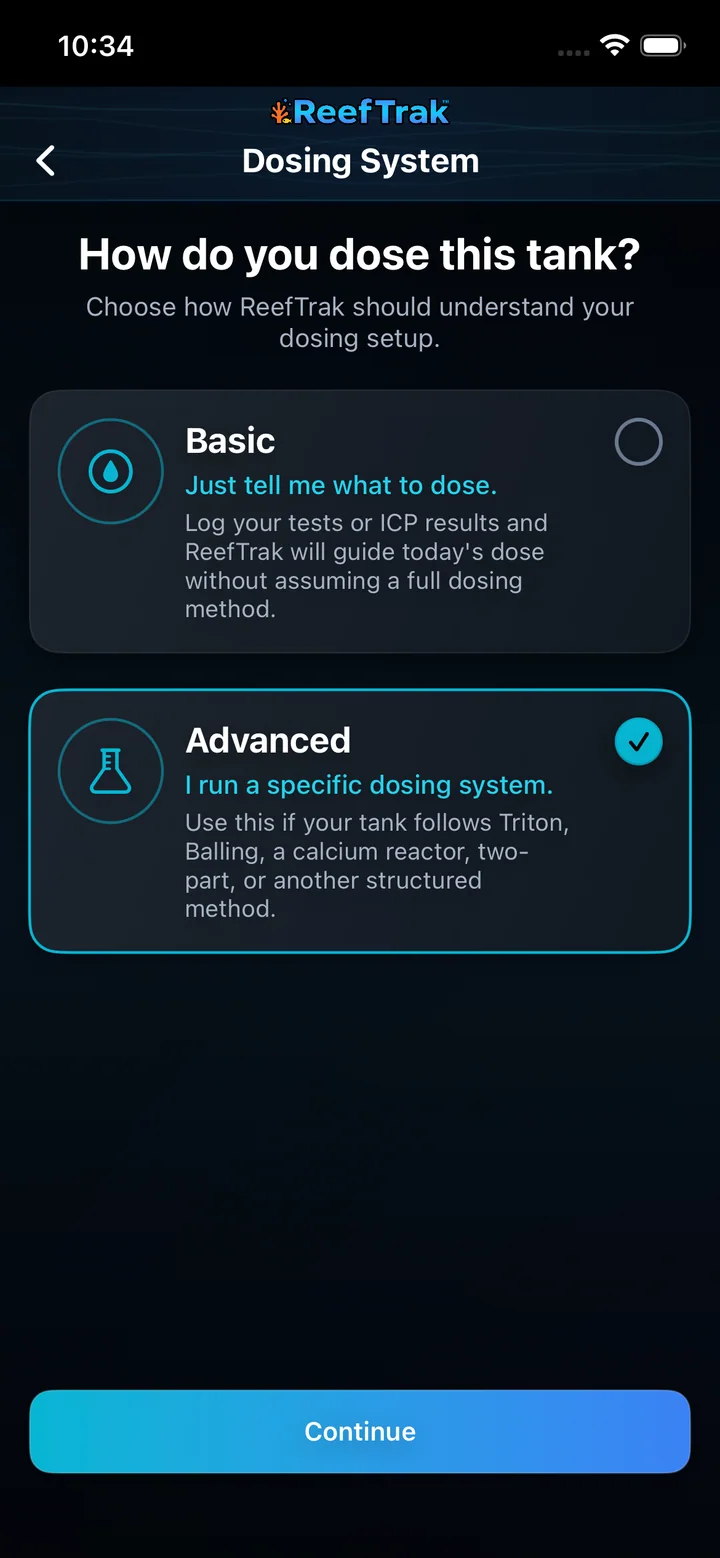
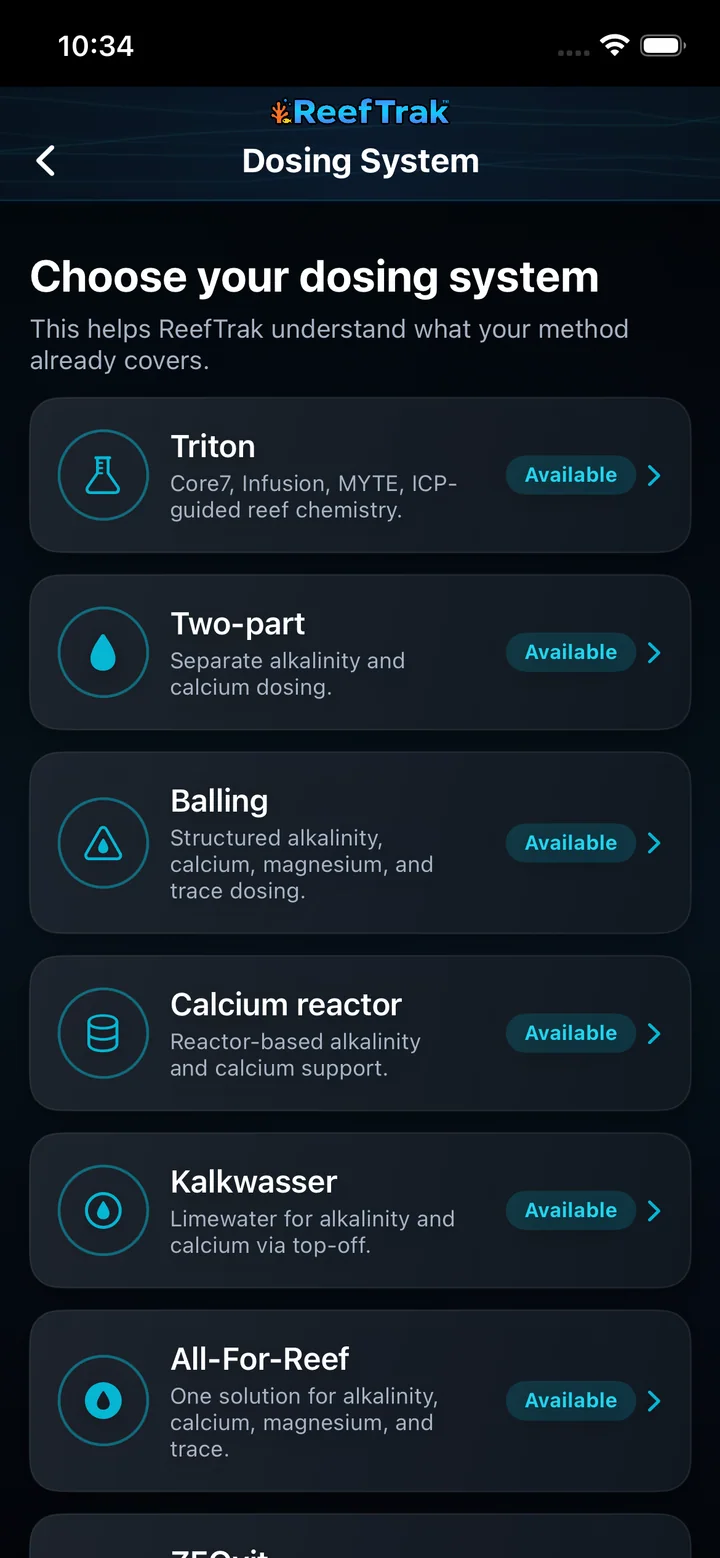
- Select Set up and tell Reef Trak whether the tank uses Basic test-to-dose guidance or an Advanced structured method such as two-part, Balling, a calcium reactor, Kalkwasser, All-For-Reef, Triton, ZEOvit, Reef Moonshiners, or another method.
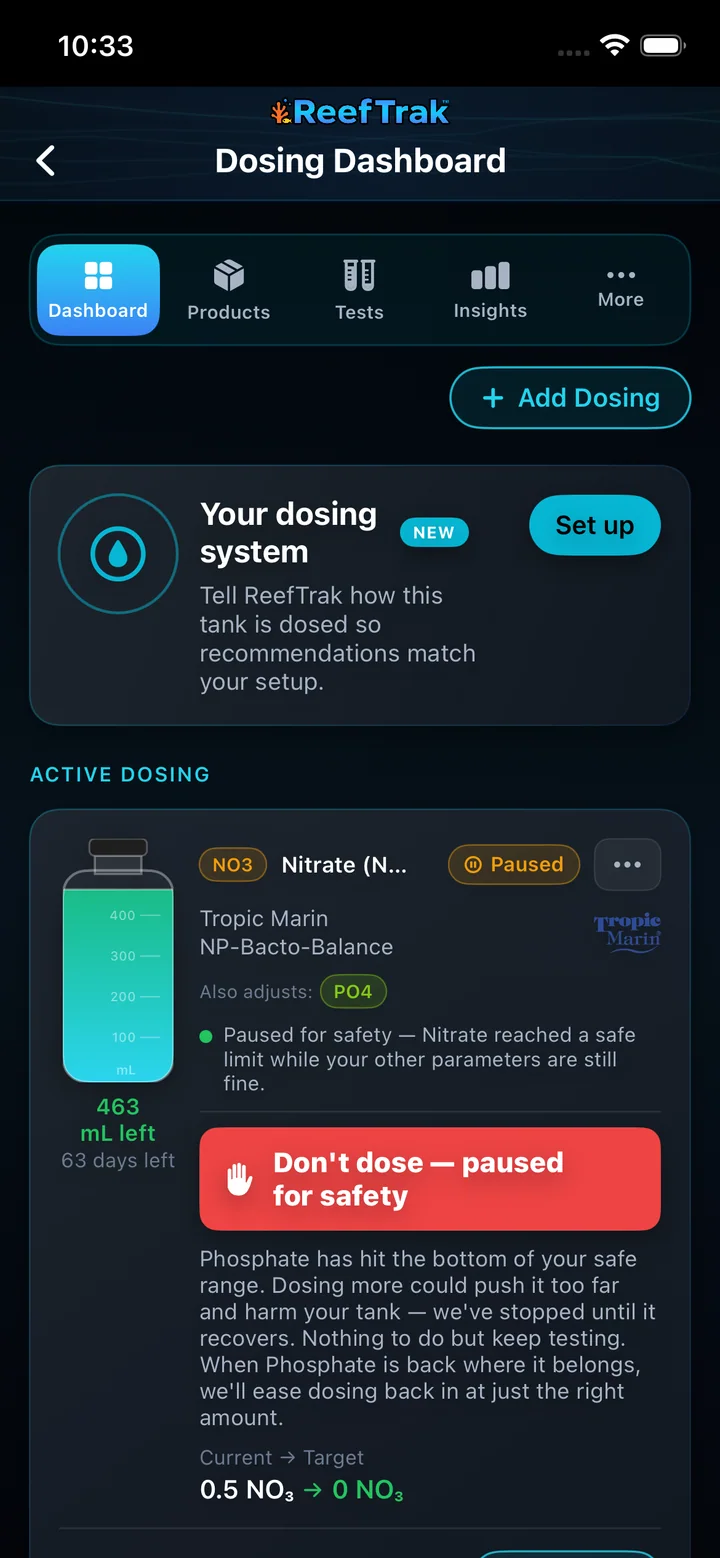
- Use Add Dosing to choose guided dosing or product monitoring, then select the exact supported product or enter a custom product from its real label.
- Review the active card as one decision: product, affected parameters, latest evidence, target, planned amount, bottle estimate, and current phase.
- If Reef Trak shows Paused for safety or Don’t dose, stop. Read which parameter reached a limit and log the requested follow-up test instead of overriding the hold.
- Use Tests to confirm recent values and see which parameters are affected by active dosing.
- Use Insights, target details, and dosing history to evaluate the response before changing the schedule or accepting another dose.
Dosing screenshots
This capture comes from the current Reef Trak interface. Numbered callouts identify the key controls; the text guide carries the full workflow.
 1
1
- Select Dosing from the tank’s Maintenance quick actions.
 2
2
- Choose Basic for test-to-dose guidance or Advanced for a structured dosing method.
 2
2
- Select the actual method; do not choose a system merely because its name is familiar.
 2345
2345
- Use Set up whenever Reef Trak does not yet know how this tank is dosed.
- Use Add Dosing to start guided dosing or monitor a real product.
- Review the product, affected parameters, bottle estimate, current reading, and target together.
- When a safety hold appears, do not dose; read the reason and log the required follow-up test.
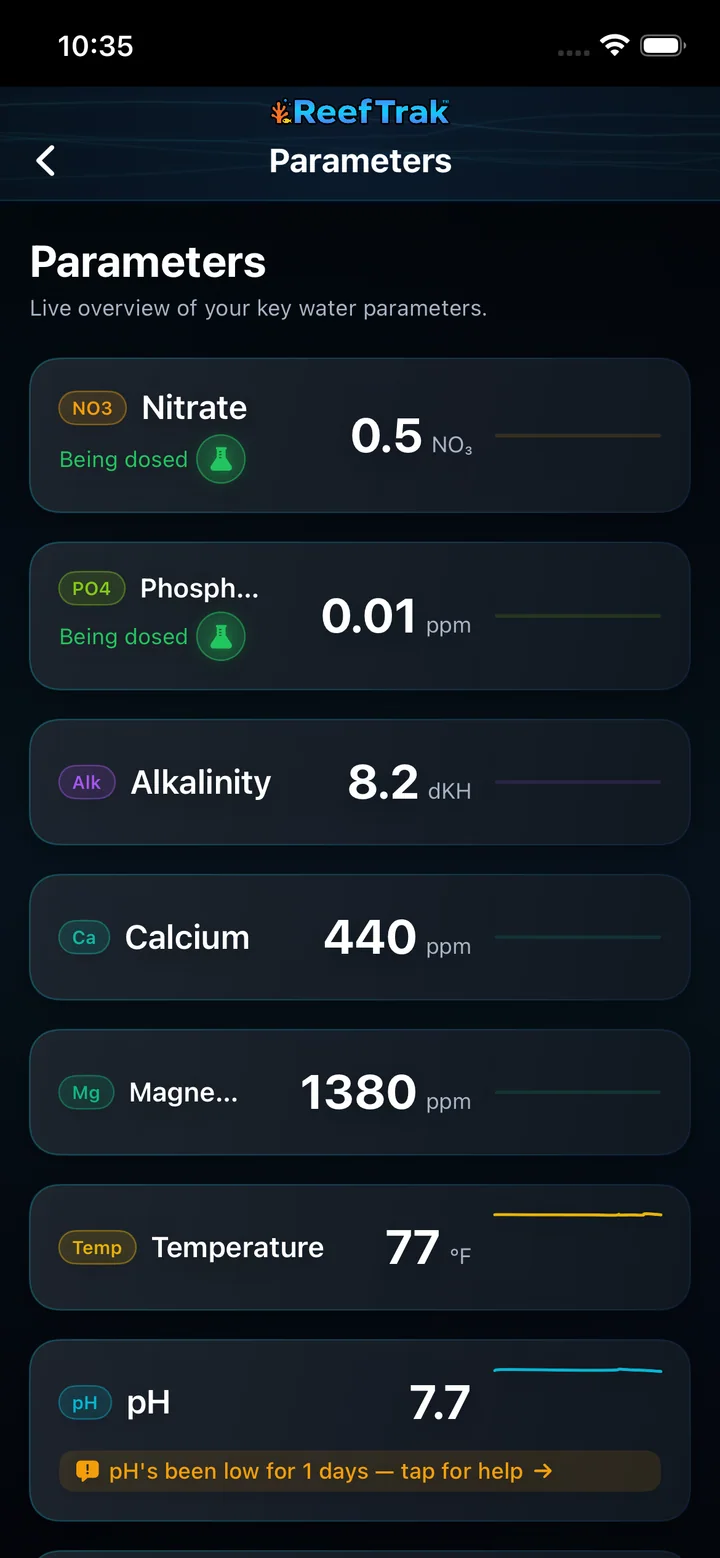 6
6
- Confirm the latest tests and open any parameter affected by active dosing before changing the plan.
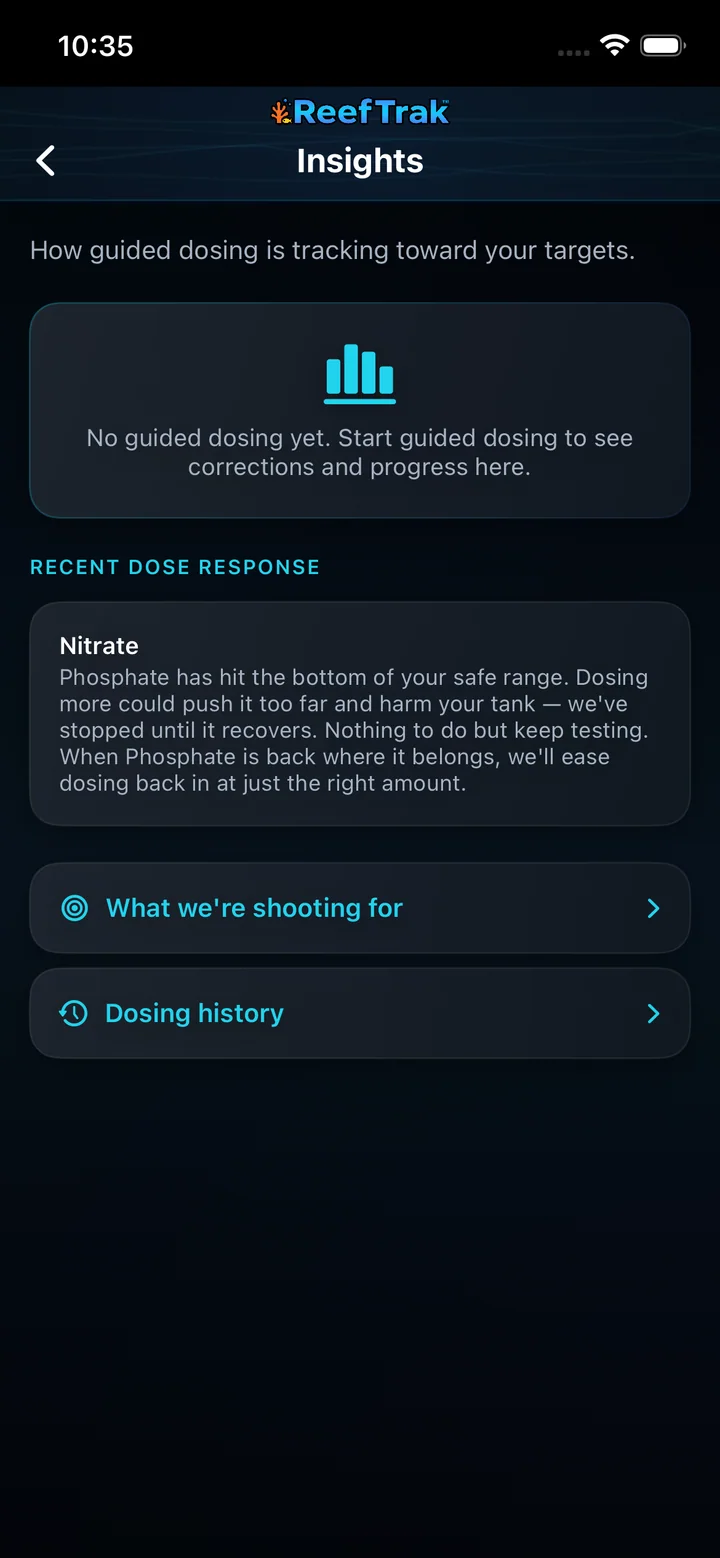 7
7
- Review the response explanation, target, and dosing history before adjusting a schedule.
Example
A mixed reef has a confirmed alkalinity trend rather than one surprising test. The keeper reviews the product concentration and guided amount, starts conservatively, logs the dose, and uses the next tests to decide whether the schedule should change.
Important details
- Premium module on iOS, Android, and WebPortal.
- Only supported, verified product data should drive guided calculations. Custom products require the keeper to validate the label and concentration.
- Reef Trak prepares dosing information for owner review before a separate dosing system carries out the approved plan; biological results still require observation and testing.
Dosing frequently asked questions
When was Dosing introduced in Reef Trak?
Dosing was first documented in Reef Trak on May 20–22, 2025. The supporting chronology identifies it as a public ios 1.2.3–1.2.5 rollout.
What does a reef tank dosing tracker record?
Reef Trak connects the dosing product, amount, schedule or guided plan, affected parameters, targets, completed doses, bottle estimate, and follow-up tests to the same tank history.
Should I choose Basic or Advanced dosing setup?
Choose Basic when you want test-to-dose guidance without declaring a complete dosing method. Choose Advanced when the tank already follows a structured system such as two-part, Balling, a calcium reactor, Kalkwasser, All-For-Reef, Triton, ZEOvit, Reef Moonshiners, or another defined approach.
What is the difference between guided dosing and monitoring a product?
Guided dosing uses supported product rules, tank information, tests, and targets to prepare a dose for review. Monitoring keeps the product, bottle usage, schedule, and history organized without treating Reef Trak as the decision maker.
What does Paused for safety mean in Reef Trak dosing?
It means a relevant parameter reached a configured floor, ceiling, concentration, or other safety condition. Do not add the displayed dose. Read the reason, log the requested new test, and wait for the evidence to support a safe next step.
Can Reef Trak control my dosing pump?
No. Reef Trak calculates, organizes, explains, reminds, and records dosing decisions, but the keeper remains responsible for reviewing the plan and operating or programming dosing equipment.
Can one water test set a reef dosing schedule?
A single confirmed test can identify a possible correction, but a reliable ongoing schedule needs follow-up measurements and a visible response over time. Check the source test, product concentration, true water volume, target, and later results before increasing a dose.
Open in Reef Trak
The button opens this destination when the installed app supports it. The browser fallback offers only platforms where the current inventory confirms availability.