
What it does
- TrakAI assembles tank context, parameters, care history, livestock, equipment, and selected date ranges into a structured Deep Dive prompt.
- You review the generated material before sharing it with ChatGPT, Claude, Gemini, or another assistant; Reef Trak does not silently send the tank to an AI provider.
- Advanced export controls let you narrow the question and the history included so the answer is based on useful evidence instead of a vague tank description.
Why you would use it
General AI advice is easy to ask for but often lacks the tank’s actual timeline. TrakAI packages the facts already stored in Reef Trak so you can ask a more grounded question while retaining control over what leaves the app.
How to use it
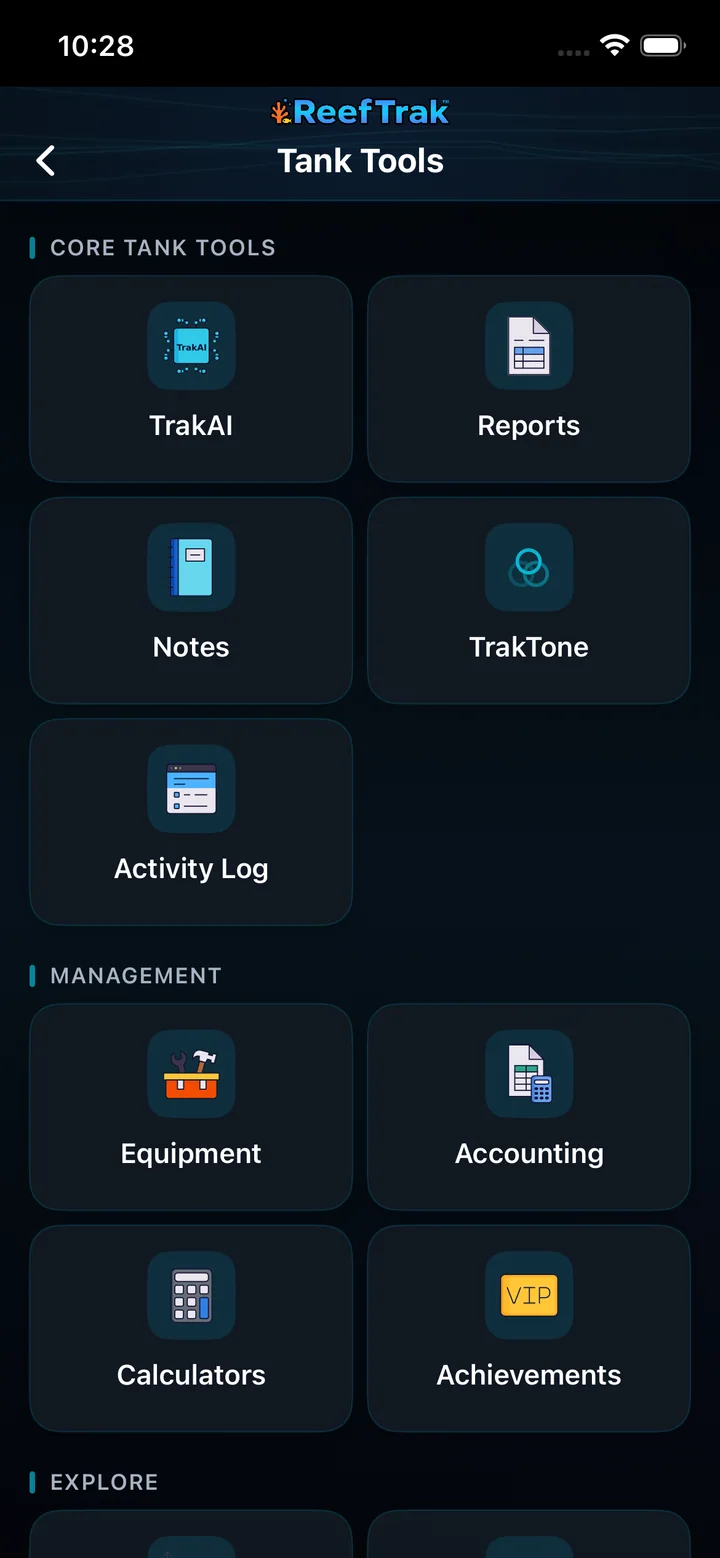
Start here: Start from a tank in Reef Trak, choose Tank Tools, then select TrakAI.
- Open the correct tank, choose Tank Tools, and select TrakAI.
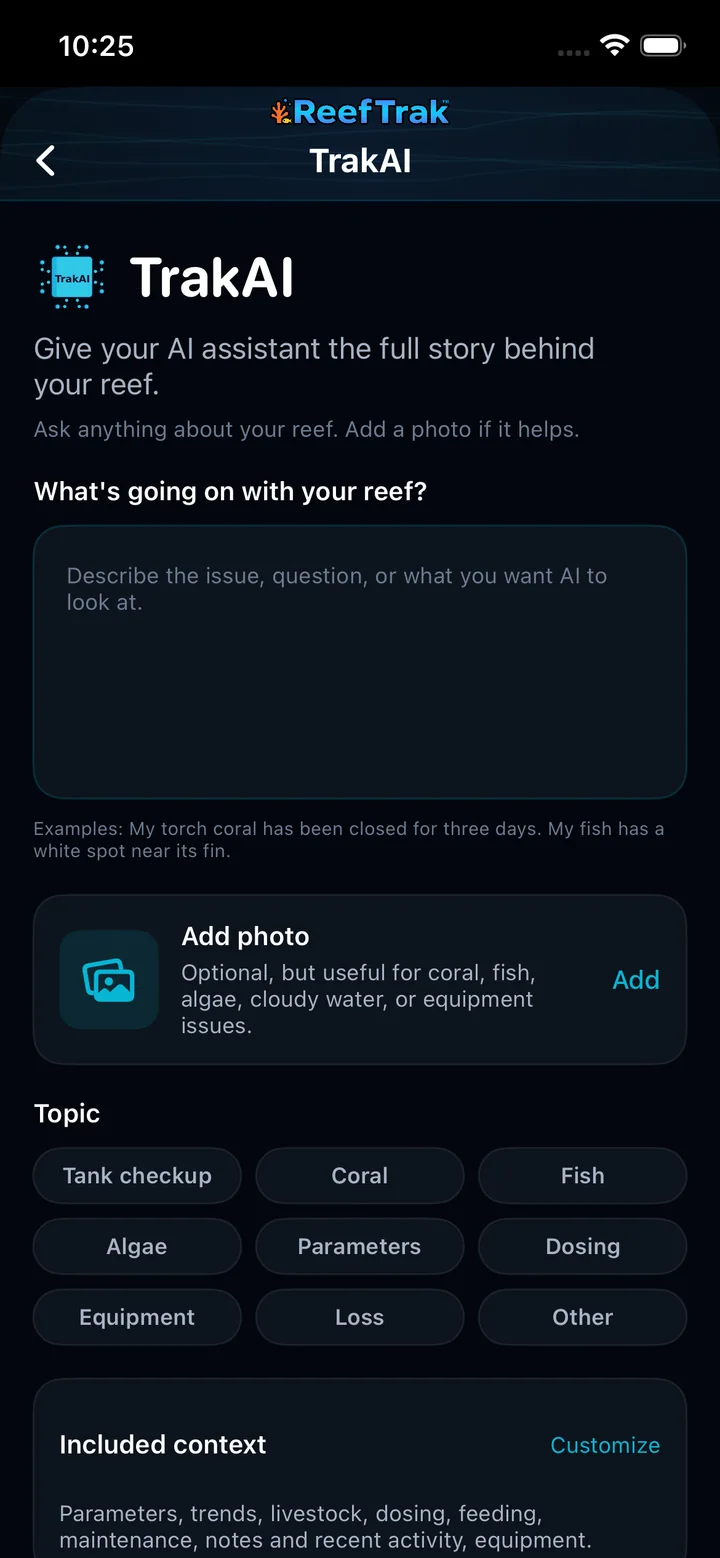
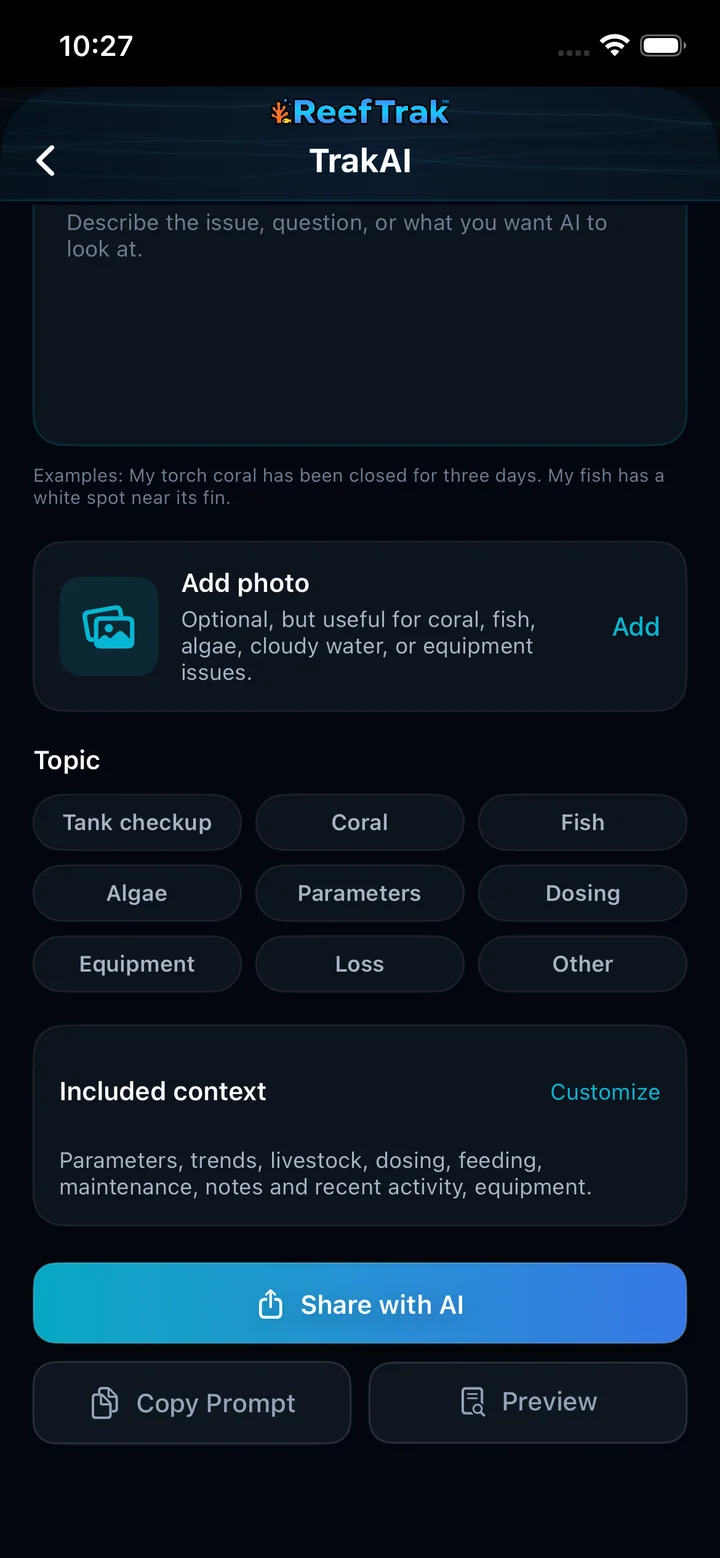
- Describe the actual issue, observation, or question with useful timing; add a photo only when it contributes visual evidence.
- Choose the closest topic: tank checkup, coral, fish, algae, parameters, dosing, equipment, loss, or other.
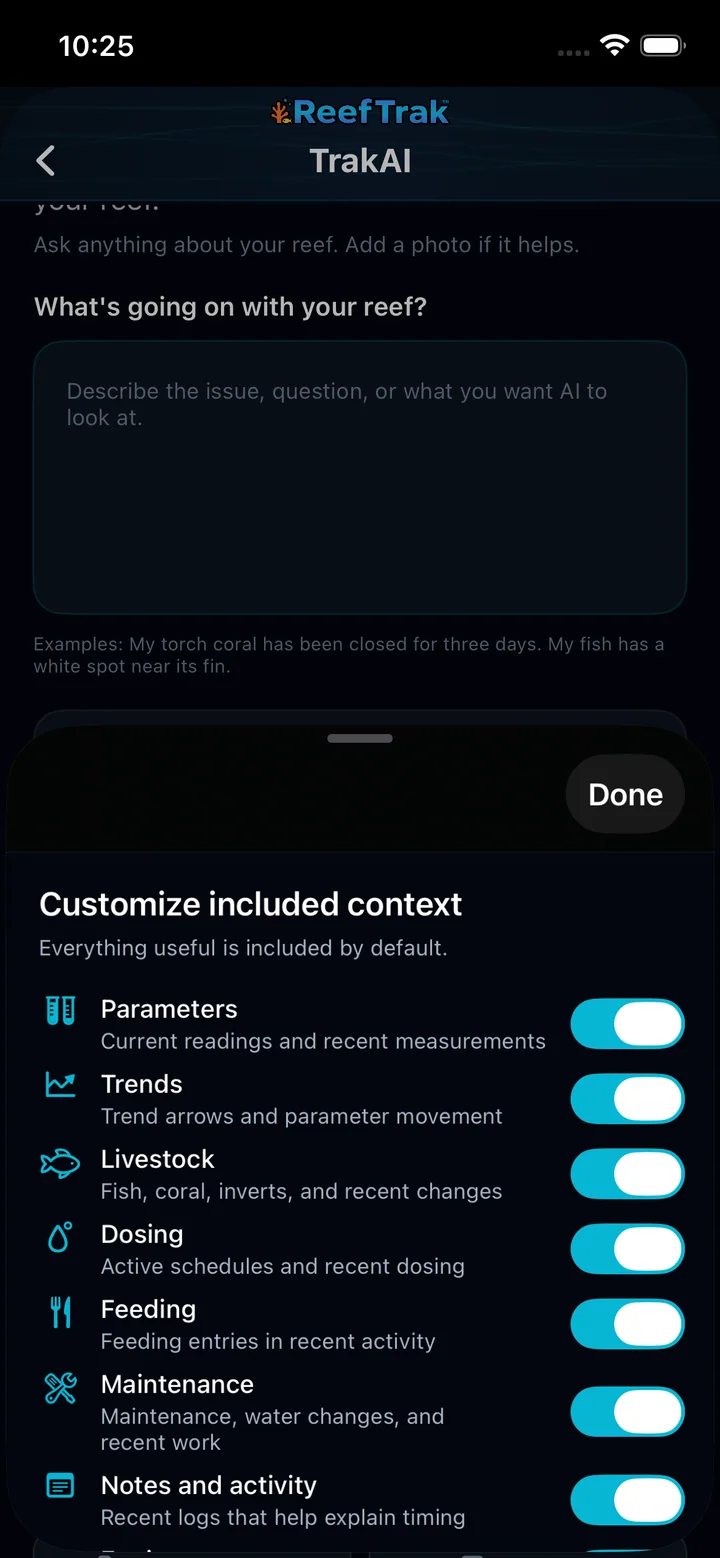
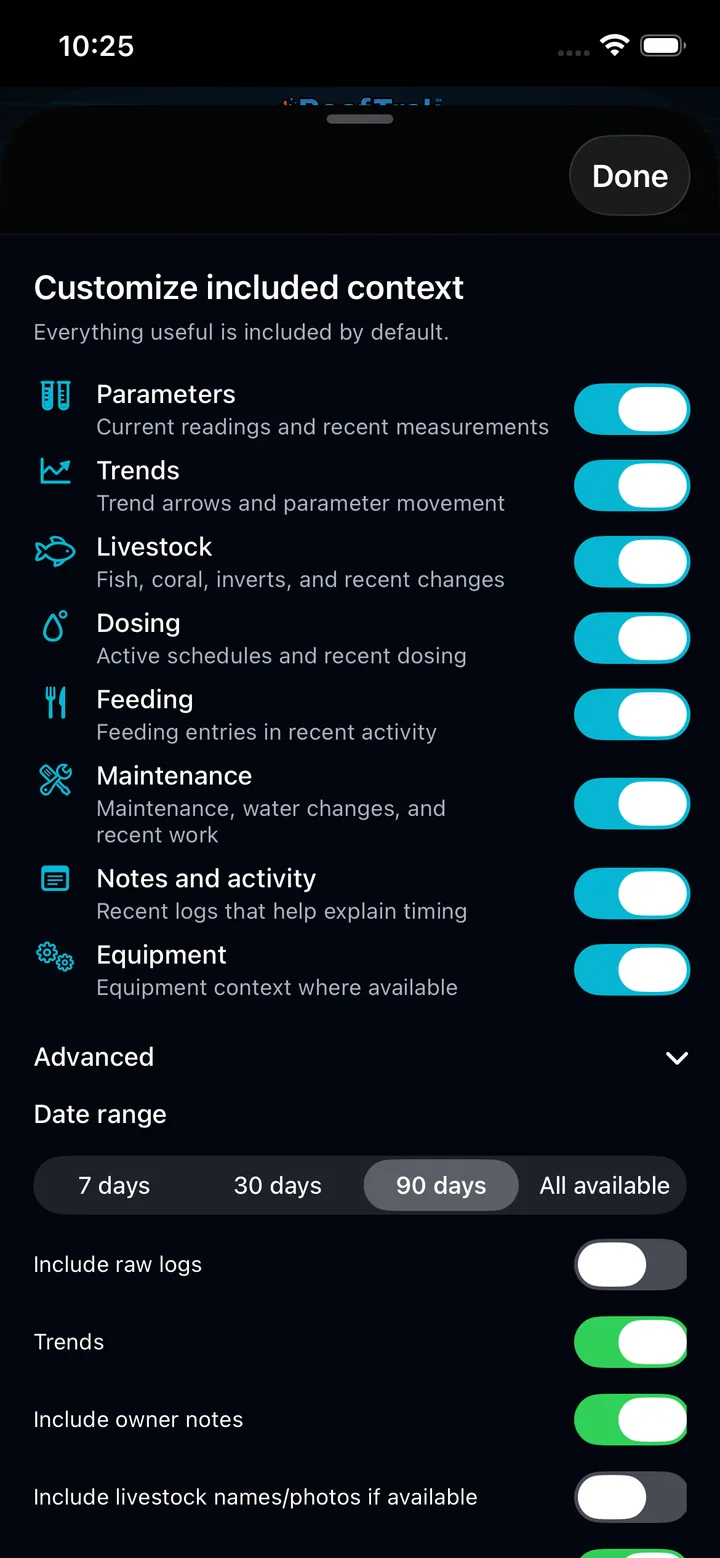
- Open Customize, disable unrelated context, and use Advanced to choose 7 days, 30 days, 90 days, or all available history plus optional raw logs, notes, photos, and equipment details.
- Choose Preview or Copy Prompt and read the complete export before it leaves Reef Trak.
- Choose Share with AI only when the question and context are ready, then evaluate the external AI response rather than treating it as an automatic aquarium command.
TrakAI screenshots
This capture comes from the current Reef Trak interface. Numbered callouts identify the key controls; the text guide carries the full workflow.
 1
1
- Select TrakAI from the current tank’s Tank Tools.
 2234
2234
- Describe the actual issue, observation, or question with useful timing.
- Add a photo only when visual evidence will help the analysis.
- Choose the closest topic so the prompt starts with the right focus.
- Open Customize before sharing to review the tank history being included.
 4
4
- Review every context category and disable anything unrelated to the question.
 44
44
- Choose 7 days, 30 days, 90 days, or all available history.
- Keep optional raw logs, notes, photos, and lists limited to what the question needs.
 56
56
- Use Preview or Copy Prompt to inspect the complete export before it leaves Reef Trak.
- Choose Share with AI only when the question and included context are ready.
Example
After alkalinity begins drifting, a keeper exports the recent alkalinity tests, dosing log, water changes, maintenance, and relevant equipment context. The chosen AI can discuss the sequence using real timestamps instead of guessing from one measurement.
Important details
- Premium tool. A signed-in account and a tank are required.
- You choose the external AI service and control the final share action.
- AI output can be wrong. Confirm chemistry, livestock, and equipment advice before acting, especially for dosing or emergencies.
TrakAI frequently asked questions
When was TrakAI introduced in Reef Trak?
TrakAI was first documented in Reef Trak on December 5, 2025. The supporting chronology identifies it as a public ios 1.5 release.
What is TrakAI for reef tanks?
TrakAI builds a structured prompt from the question and the Reef Trak history you select. It can include parameters, trends, livestock, dosing, feeding, maintenance, notes, recent activity, equipment, and an optional photo for use with an AI assistant you choose.
Does Reef Trak automatically send my tank data to an AI provider?
No. Reef Trak builds the export locally from the selected tank context. You can preview or copy it first, and nothing is handed to an external AI service until you deliberately use the system share flow or paste the copied prompt.
What tank history can I include in a TrakAI prompt?
You can include or exclude parameters, trends, livestock, dosing, feeding, maintenance, notes and activity, equipment, and an attached photo. Advanced controls provide 7-day, 30-day, 90-day, or all-available history plus more detailed content switches.
Can TrakAI add a coral, fish, algae, or equipment photo?
Yes. A photo is optional and is useful only when visual evidence helps the question. You can remove it or exclude the attached photo from the final context before sharing.
Can I use TrakAI with ChatGPT, Claude, Gemini, or another assistant?
TrakAI creates a portable prompt that can be previewed, copied, or sent through the device share sheet. Which external assistant receives it depends on the services installed or available on the device.
Does TrakAI replace reef testing or professional advice?
No. AI output can misunderstand incomplete data or produce incorrect recommendations. Confirm tests, product labels, equipment instructions, and urgent animal-health guidance before changing the aquarium.
Open in Reef Trak
The button opens this destination when the installed app supports it. The browser fallback offers only platforms where the current inventory confirms availability.