
What it does
- A one-time feeding log stores the event date and time, food category, selected food, quantity, optional notes, and available catalog nutrition context.
- Supported catalog foods can show ingredients and an estimated nitrate and phosphate load per unit before the event is saved.
- Saved feedings become part of the tank’s dated care history for Activity Log, reports, Tank Insights, and TrakAI context where supported.
Why you would use it
Feeding affects nutrients, animal behavior, waste production, and maintenance demand, but memory rarely preserves the exact food, amount, and timing. A dated feeding log makes later parameter changes and livestock observations easier to investigate without pretending that one feeding proves causation.
How to use it
Start here: Start from the correct tank, choose Maintenance, open Feeding, then select Log One-Time Feeding.
- Open the correct tank, choose Maintenance, and select Feeding from Quick Actions.
- Choose Log One-Time Feeding when you are recording one event rather than planning a recurring routine.
- Set the date and time to when the feeding actually occurred; backdate it when you are logging later.
- Choose the real food category and product, then set the quantity that was actually used.
- Review any catalog ingredients and estimated nitrate or phosphate load, then add a concise note when preparation, target feeding, refusal, or unusual behavior matters.
- Save the event and use the Activity Log or feeding history to compare it with later tests, maintenance, and livestock observations.
Feeding screenshots
This capture comes from the current Reef Trak interface. Numbered callouts identify the key controls; the text guide carries the full workflow.
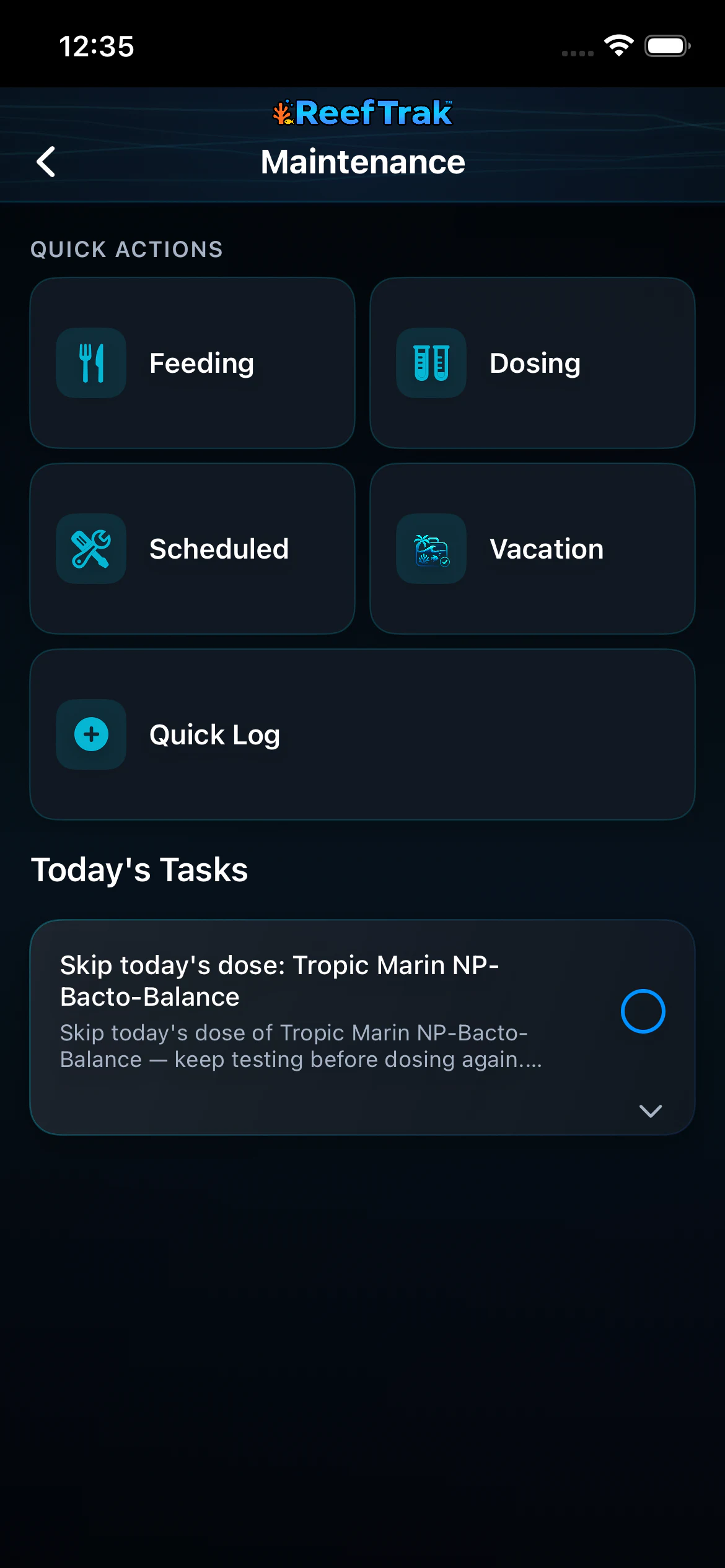 1
1
- Open Feeding for the current tank.
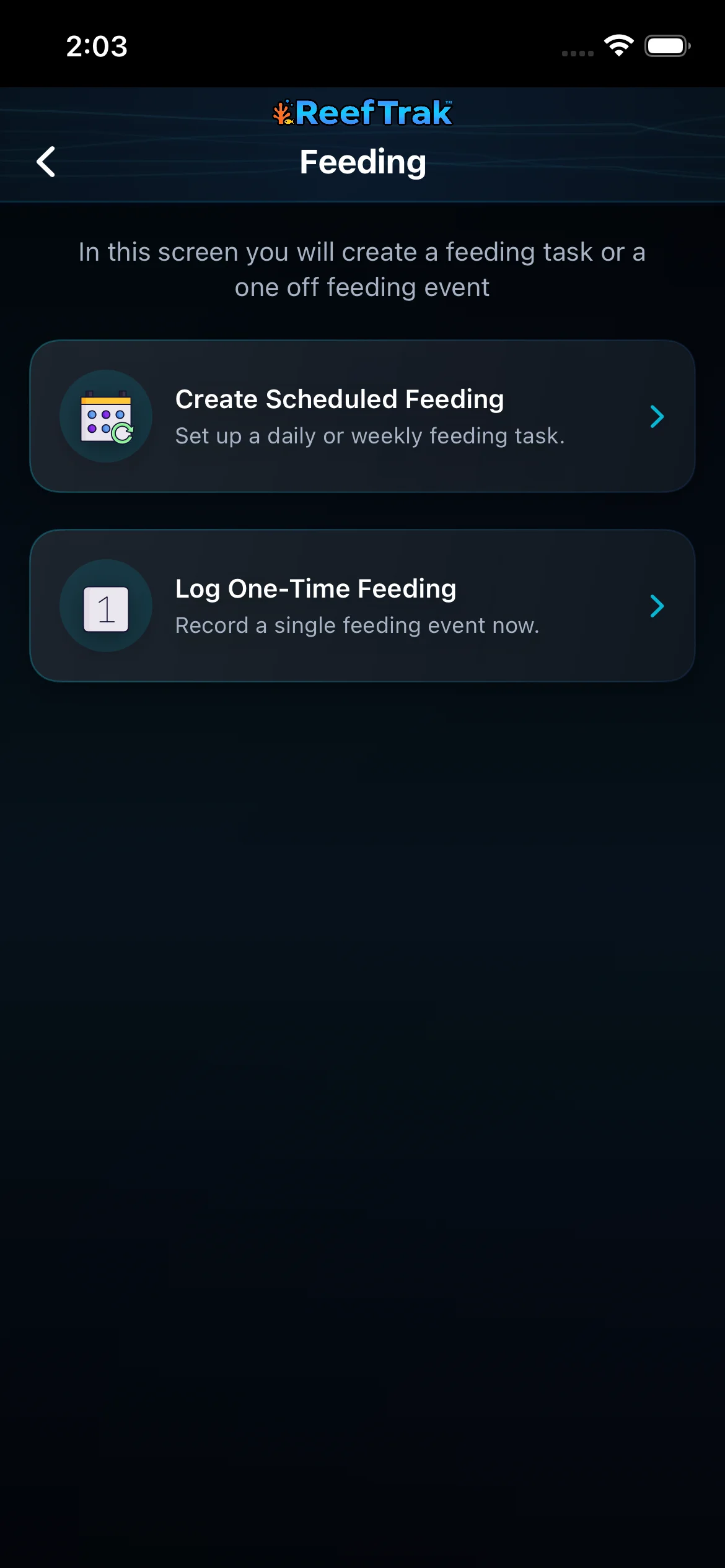 2
2
- Choose Log One-Time Feeding for one real feeding event.
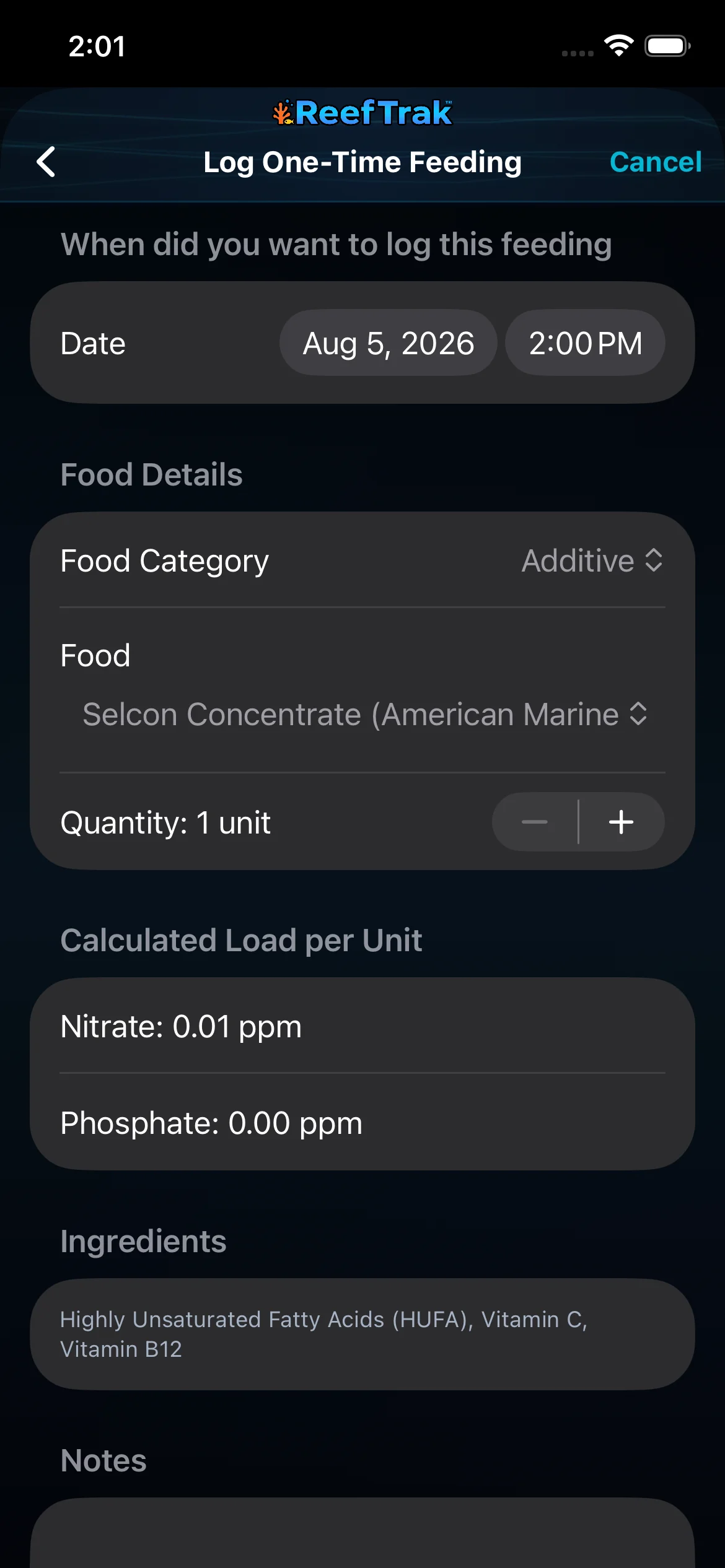 345
345
- Confirm the date and time the feeding actually happened.
- Choose the real category and food, then enter the quantity used.
- Review the catalog-based nutrient estimate and ingredients before saving.
Example
After target-feeding corals, a keeper records the food, amount, and real timestamp. When phosphate rises later, the feeding appears beside the surrounding tests and care history as useful context—not automatic proof of the cause.
Important details
- Premium care feature on supported Reef Trak platforms.
- Calculated nutrient load is a catalog-based estimate, not a prediction of the aquarium’s next nitrate or phosphate test. Uptake, export, uneaten food, water volume, and biology all matter.
- Do not create a scheduled routine merely to record something that happened once; use the one-time log so future due-task history stays honest.
Feeding frequently asked questions
When was Feeding introduced in Reef Trak?
Feeding was first documented in Reef Trak on July 17, 2025. The supporting chronology identifies it as a public ios 1.3 release.
What should an aquarium feeding log record?
Record the real date and time, food or additive, quantity, and any note needed to explain preparation, target feeding, refusal, or unusual behavior. Reef Trak can also retain catalog ingredients and estimated nutrient-load context where available.
Can I backdate a reef tank feeding in Reef Trak?
Yes. The one-time feeding form exposes both date and time so an event logged later can still preserve when the feeding actually happened.
Does the calculated nitrate and phosphate load predict my next test?
No. It is an estimate associated with the selected food and quantity. The aquarium’s volume, consumption, filtration, export, biology, and other inputs determine the measured response.
Where does a saved feeding appear?
Feeding history can contribute to the tank’s dated care record, including Activity Log, reports, Tank Insights, and TrakAI context where those features are supported.
Open in Reef Trak
The button opens this destination when the installed app supports it. The browser fallback offers only platforms where the current inventory confirms availability.