
What it does
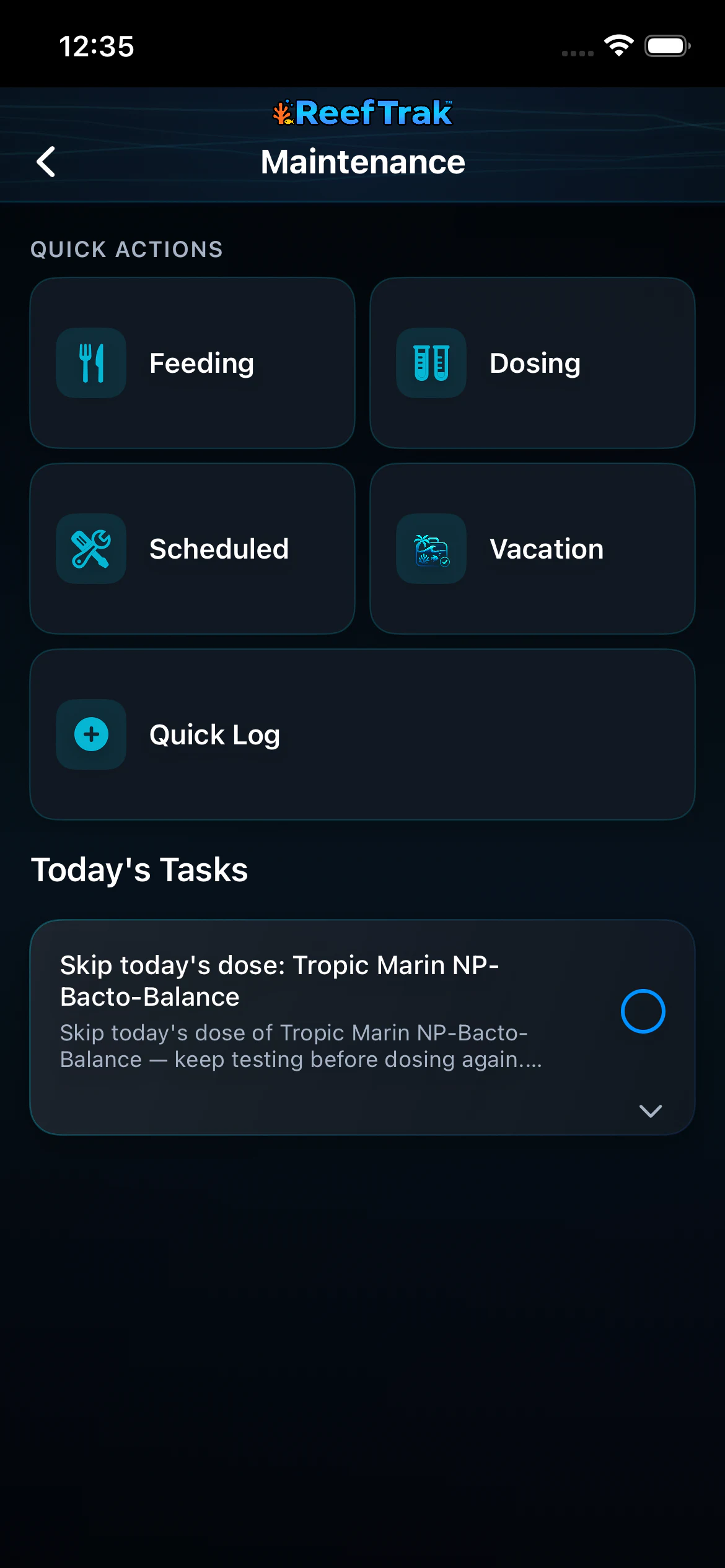
- Maintenance surfaces today’s tasks and routes specialized work into Feeding, Dosing, Scheduled Maintenance, Vacation Mode, or Quick Log.
- Scheduled tasks preserve cadence and due status, while Quick Log records an unscheduled care action with its actual completion date and time.
- Completed care becomes dated tank history used by the Activity Log, reports, Tank Insights, Stability Trak context, and TrakAI exports where supported.
Why you would use it
Routine reef care becomes unreliable when it exists only in memory. A maintenance record distinguishes what was planned, what became due, what was actually completed, and when it happened—without forcing every task into the same workflow.
How to use it
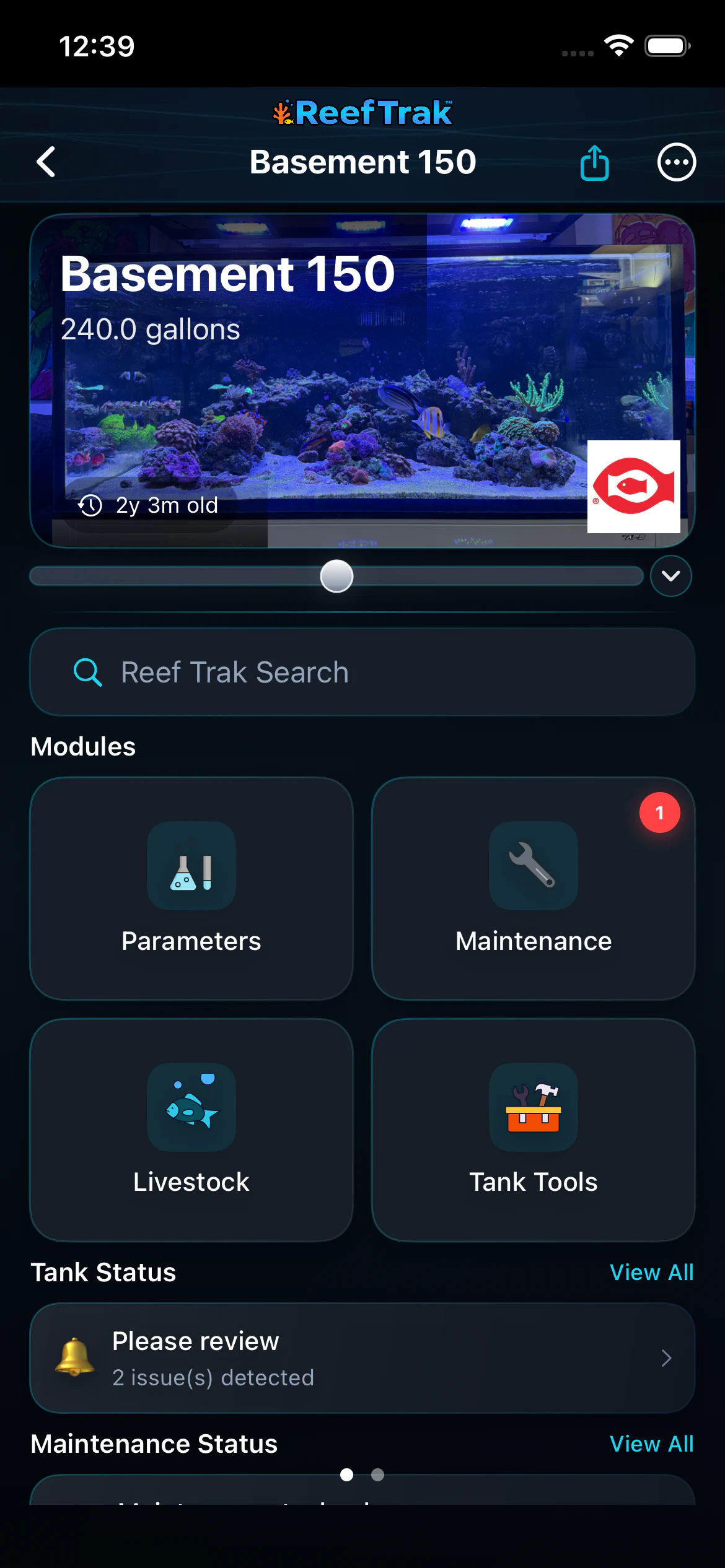
Start here: Start from the correct tank and choose Maintenance from the Modules section.
- Open the correct tank and choose Maintenance.
- Read today’s tasks and any warning or safety explanation before checking an item off.
- Choose Feeding, Dosing, Scheduled, Vacation, or Quick Log based on the real action you are recording.
- For recurring care, create or update the scheduled task and its frequency rather than repeatedly creating unrelated one-time entries.
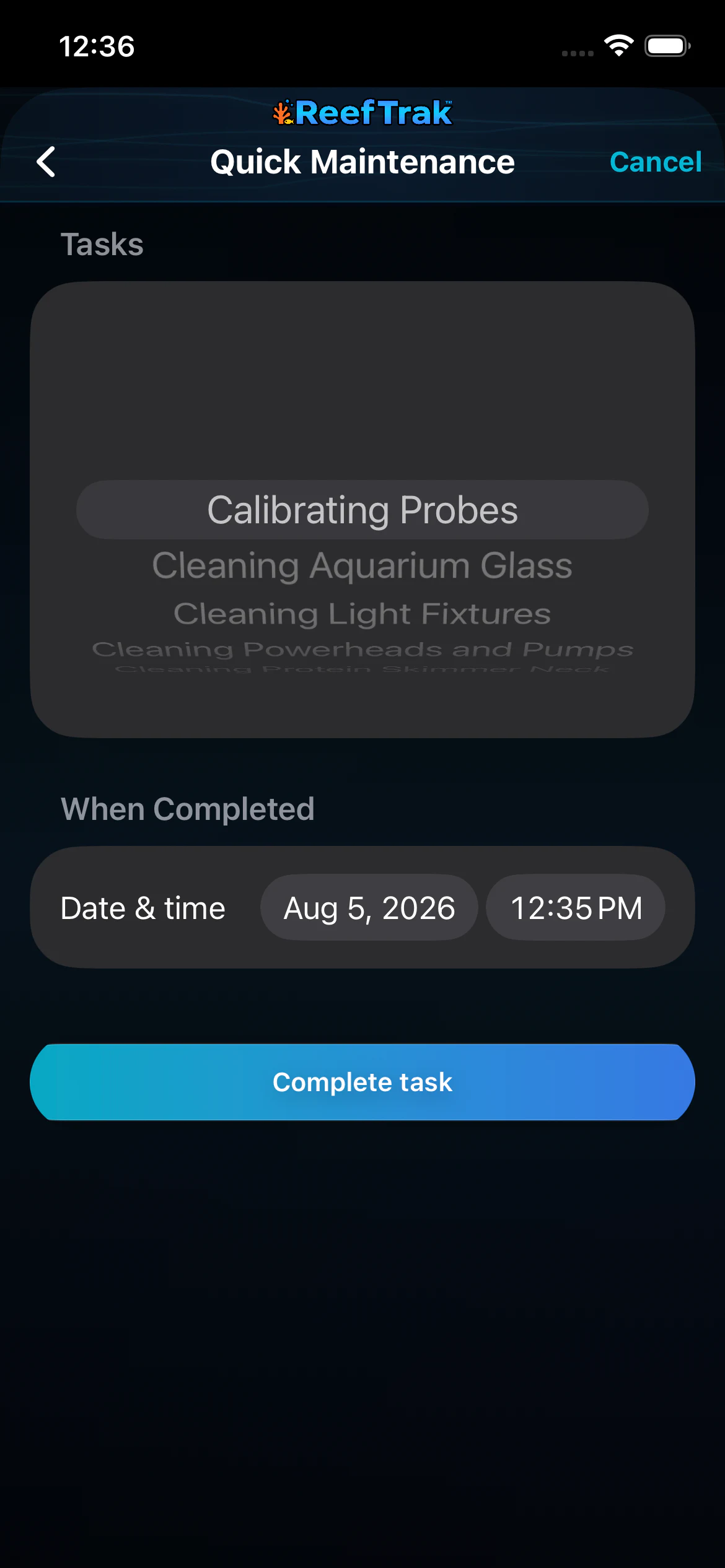
- For unplanned work, use Quick Log, select the correct task, and confirm or backdate the actual completion date and time.
- Review the resulting Activity Log or maintenance history when troubleshooting what changed in the aquarium.
Maintenance screenshots
This capture comes from the current Reef Trak interface. Numbered callouts identify the key controls; the text guide carries the full workflow.
 1
1
- Open Maintenance and notice whether the module shows work needing attention.
 23
23
- Choose Feeding, Dosing, Scheduled, Vacation, or Quick Log based on what actually happened.
- Read the full task and any safety explanation before marking it complete.
 456
456
- Select the task that was actually completed.
- Confirm or backdate the real completion date and time before saving.
- Complete the task only after the selection and timestamp are correct.
Example
A keeper cleans a probe unexpectedly. Instead of altering the recurring schedule, they use Quick Log, select Calibrating Probes, backdate the actual completion time if needed, and save one accurate history event.
Important details
- Premium module on iOS, Android, and WebPortal.
- Checking off a task records completion; read safety-related tasks carefully because some exist specifically to confirm that no dose or risky action occurred.
- Use the actual completion time. A reminder date and a completed date answer different questions in later troubleshooting.
Maintenance frequently asked questions
When was Maintenance introduced in Reef Trak?
Maintenance was first documented in Reef Trak on December 15, 2024. The supporting chronology identifies it as a pre-launch version-controlled record.
What should a reef tank maintenance log include?
Useful records include the task, selected tank, actual completion date and time, recurrence when applicable, and enough detail to distinguish feeding, dosing, water changes, cleaning, testing, and equipment care.
What is the difference between Scheduled Maintenance and Quick Log?
Scheduled Maintenance is for recurring or planned care with a cadence and due status. Quick Log records a one-time action that was completed without creating or changing a recurring schedule.
Can I backdate aquarium maintenance in Reef Trak?
Yes. Quick Log exposes the completion date and time so the record can reflect when the work actually happened rather than when it was entered.
Does completed maintenance appear elsewhere in Reef Trak?
Dated maintenance can contribute to Activity Log, reports, Tank Insights, Stability Trak context, and TrakAI exports where those features and data are available.
Open in Reef Trak
The button opens this destination when the installed app supports it. The browser fallback offers only platforms where the current inventory confirms availability.