
What it does
- TrakShare starts from a tank or livestock record and lets you choose a purpose such as asking for help, showing progress, or introducing the subject.
- You select the headline, optional detail, photo treatment, card size, parameter preset, and expiry before seeing an exact preview of what becomes public.
- Publishing creates an unguessable public link that can be shared, viewed, managed, and revoked from Reef Trak.
Why you would use it
A screenshot often lacks context, while sharing an account or full history exposes too much. TrakShare produces a deliberate snapshot with only the facts and images the keeper selected.
How to use it
- Open a tank, fish, coral, or invert and choose Share.
- Choose the visual style and card shape while watching the exact public preview update.
- Choose the share goal, then write the public headline or question and any optional detail.
- Choose the photo, public facts, and no more than six recent parameters; leave anything unrelated unchecked.
- Choose whether your name appears and whether the link expires after 7 days, 30 days, or never.
- Inspect the preview again, publish, and use the system share sheet or copy the link. Use Manage Shares later to review views or revoke access.
TrakShare screenshots
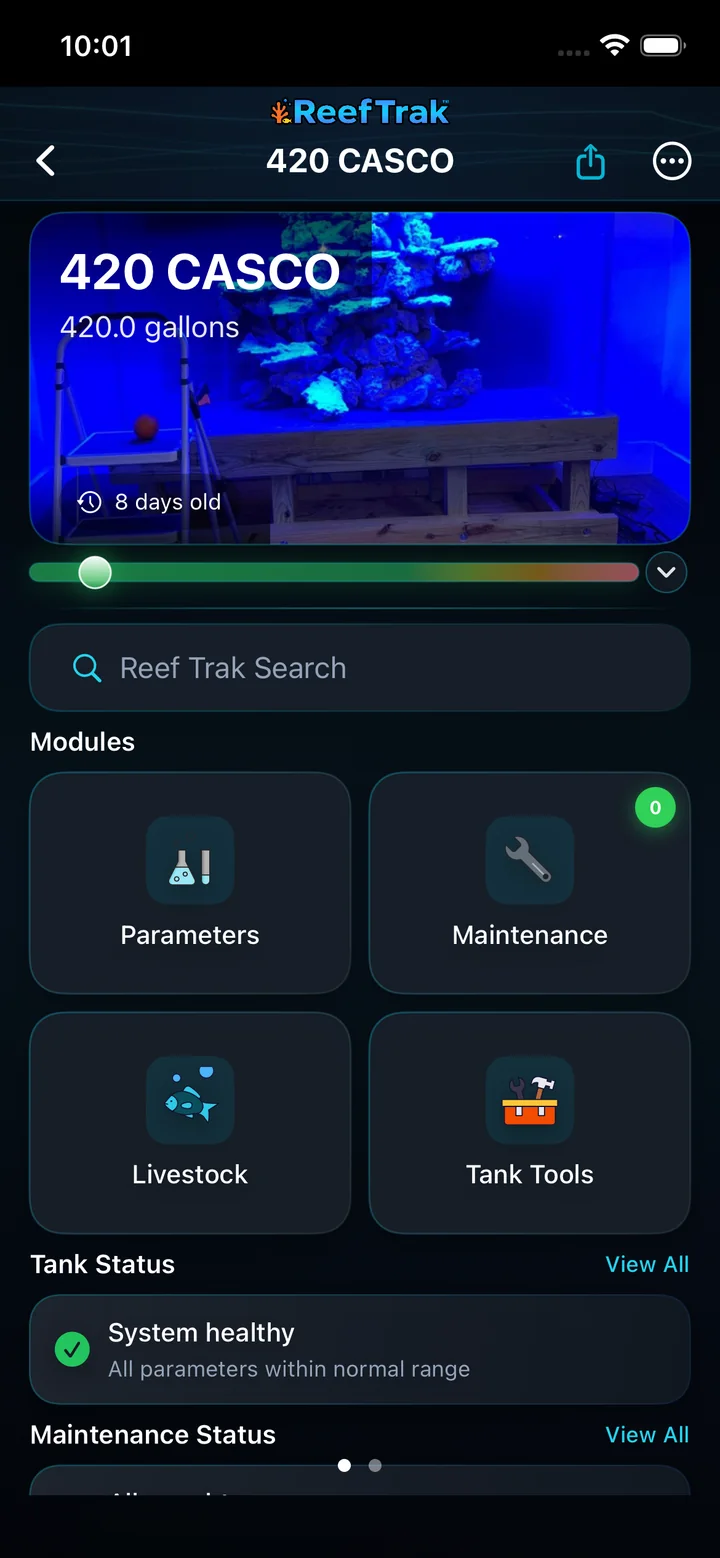
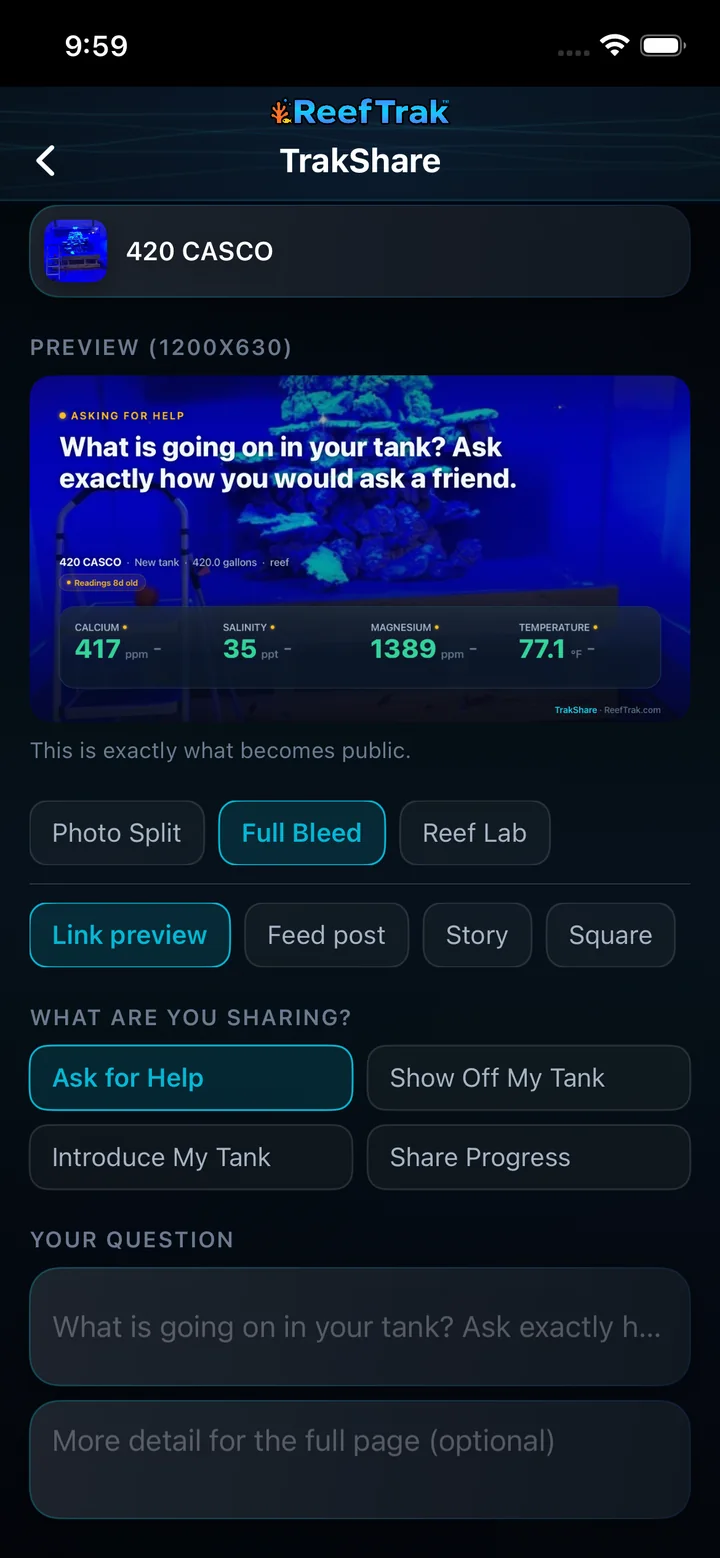
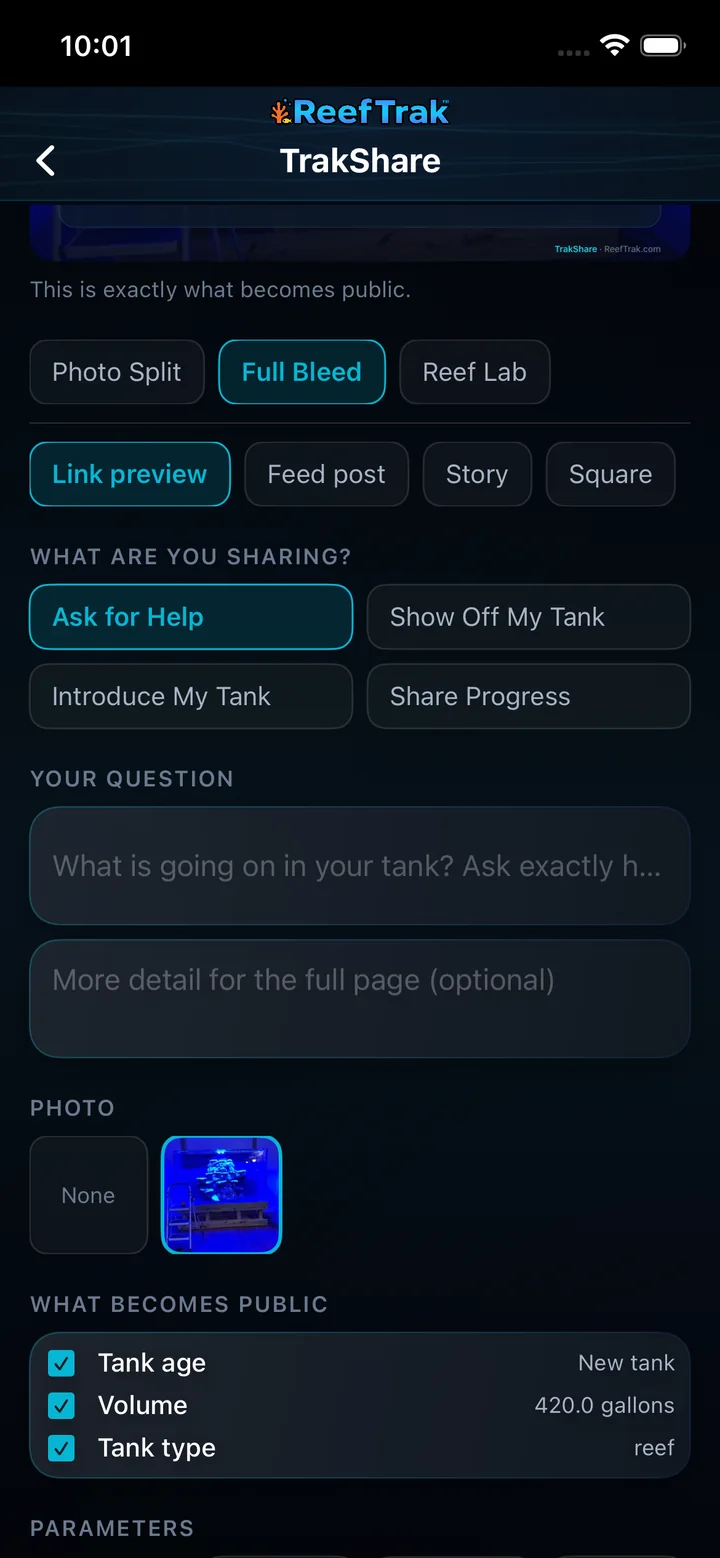
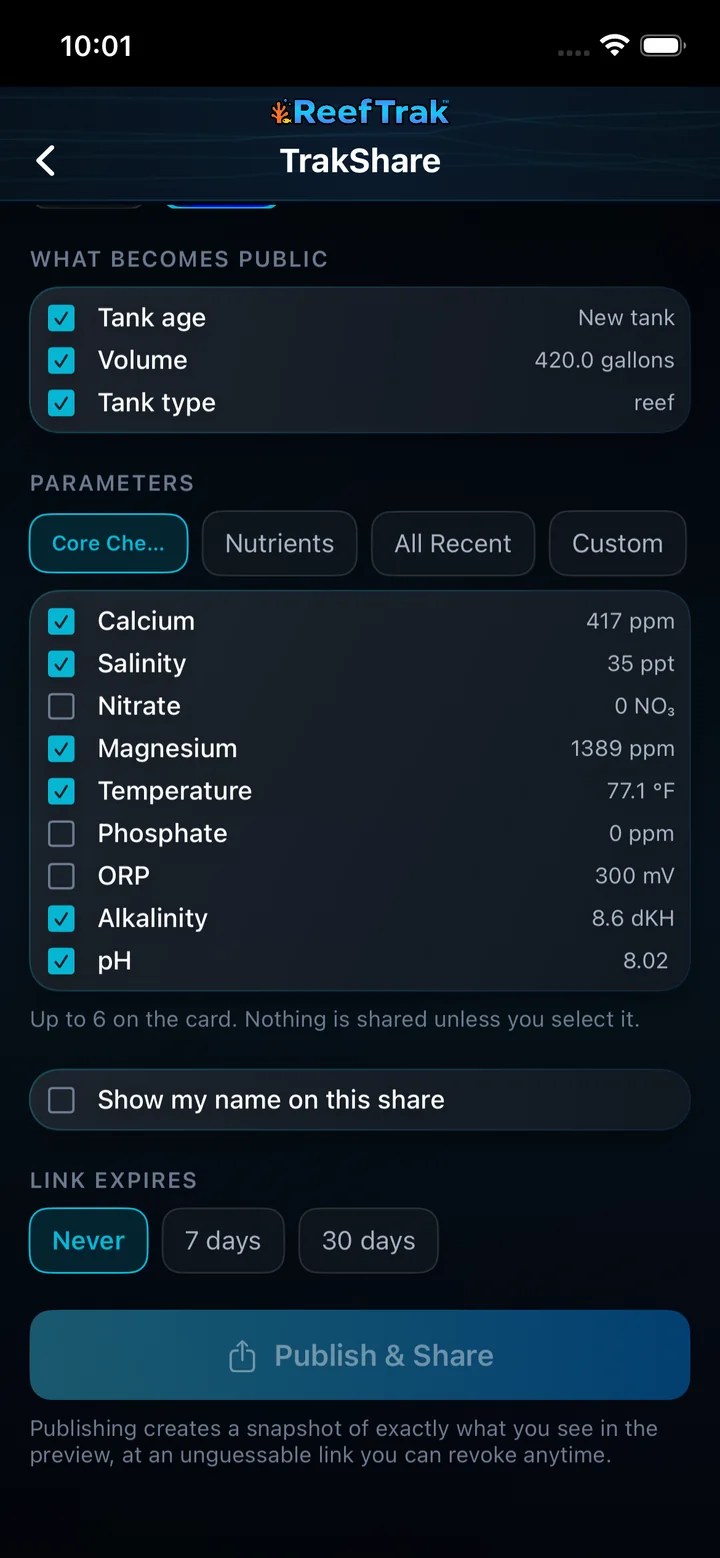
This capture comes from the current Reef Trak interface. Numbered callouts identify the key controls; the text guide carries the full workflow.
 1
1
- Open TrakShare from the Share button on the record.
 23
23
- Choose a visual style and card shape while watching the exact public preview.
- Choose the share purpose, then write the question or headline below it.
 34
34
- Write a clear question or headline and add optional context.
- Choose the photo and only the facts you want on the public snapshot.
 456
456
- Select no more than six parameters and leave unrelated readings unchecked.
- Choose whether to show your name and when the link expires.
- Recheck the preview before selecting Publish & Share.
Example
A keeper asking why a coral stopped opening selects the coral photo, writes the observed behavior, adds a few relevant recent chemistry values, previews the card, and publishes a seven-day link. No unselected tank history is added to the public page.
Important details
- Sign-in is required to publish and manage shares.
- The preview is the authority for what becomes public. Nothing is included merely because it exists in the private tank record.
- Revoking a link stops future access, but it cannot erase copies another person already saved.
TrakShare frequently asked questions
When was TrakShare introduced in Reef Trak?
TrakShare was first documented in Reef Trak on July 31, 2026. The supporting chronology identifies it as a dated cross-platform development record.
What does TrakShare make public?
Only the photo, facts, recent parameters, text, and optional display name selected in the composer are placed in the public snapshot. The live preview shows exactly what will be published.
Does TrakShare expose my Reef Trak account or full tank history?
No. TrakShare creates an unguessable snapshot link and does not give visitors access to the private account or unselected tank history.
Can a TrakShare link expire automatically?
Yes. Before publishing, choose a seven-day, thirty-day, or non-expiring link. The selected expiry is part of the share settings.
Can I revoke a TrakShare link later?
Yes. Manage Shares lets the owner review and revoke published links. Revocation stops future access, but it cannot remove screenshots or copies another person already saved.
Can I share a fish, coral, or invert instead of the whole tank?
Yes. TrakShare can start from a tank, fish, coral, or invert record so the public card stays focused on the subject and context you intend to discuss.
Open in Reef Trak
The button opens this destination when the installed app supports it. The browser fallback offers only platforms where the current inventory confirms availability.