
What it does
- Choose the calcium supplement you actually use, then enter tank volume, current calcium, and target calcium.
- Reef Trak calculates the dose using that product’s concentration and shows product chemistry, pH impact, side effects, and considerations alongside the result.
- If the requested correction is greater than 50 ppm, Reef Trak warns you to split the correction rather than treating it as a single routine dose.
Why you would use it
It replaces mental math and mismatched online formulas with a calculation tied to the selected product and your preferred gallons-or-liters setting. It is useful after a reliable test shows calcium below the chosen target, not as a substitute for testing.
How to use it
Start here: Start in Reef Trak at Tools > Calculators > Calcium.
- Choose the exact calcium supplement from the product picker and review its formula and pH impact.
- Enter the actual system water volume after accounting for rock, sand, and displacement.
- Enter the confirmed current calcium value and the intended target in ppm.
- Select Calculate Dose, read the instructions, and follow any split-dose warning before adding supplement.
- Retest after the product has mixed according to its instructions before making another correction.
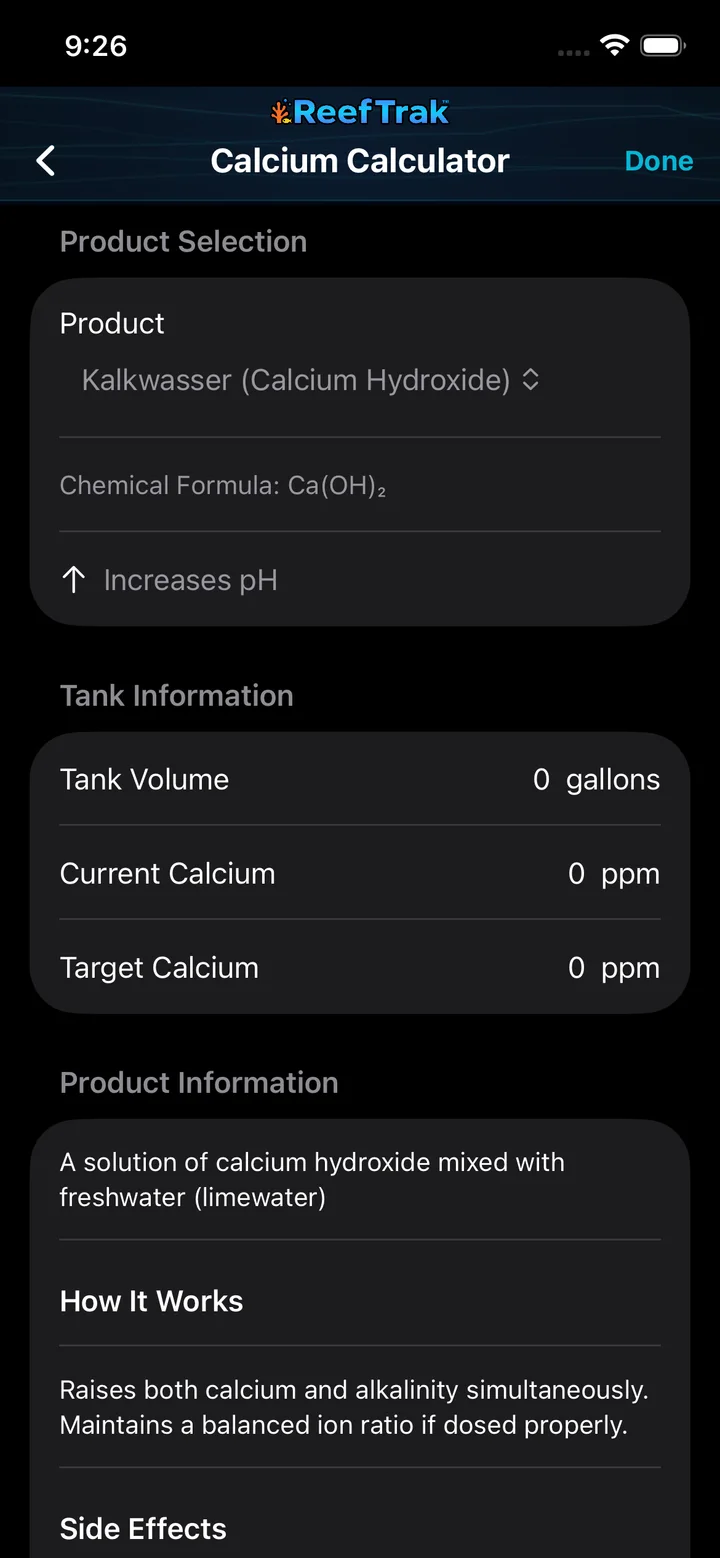
Calcium Calculator screenshot
This capture comes from the current Reef Trak interface. Numbered callouts identify the key controls; the text guide carries the full workflow.
 123
123
- Choose the exact calcium supplement and review its formula and pH impact.
- Enter the actual system water volume.
- Enter the confirmed current calcium value and intended target.
Example
A keeper tests calcium, confirms the reading, chooses the same calcium chloride product used at the tank, and enters the real water volume after accounting for rock and sand. Reef Trak returns that product’s calculated amount; if the requested rise exceeds 50 ppm, the app explicitly calls for a split correction.
Important details
- Premium feature on iOS, Android, and WebPortal.
- The answer is only as accurate as the tested value, true water volume, and selected product.
- A calculator does not account for an incorrect test, precipitation, livestock stress, or a manufacturer formula change. Verify the label and avoid rapid chemistry changes.
Calcium Calculator frequently asked questions
When was Calcium Calculator introduced in Reef Trak?
Calcium Calculator was first documented in Reef Trak on February 17, 2025. The supporting chronology identifies it as a pre-launch development record.
How do I calculate a calcium dose for a reef tank?
Choose the exact calcium supplement, enter the aquarium’s actual water volume, current tested calcium, and intended target. Reef Trak then applies the supported product concentration and shows the calculated amount.
Which tank volume should I enter in a calcium calculator?
Use the best estimate of actual system water volume after displacement from rock, sand, equipment, and an incompletely filled sump. Display-tank capacity alone can overstate the water being dosed.
Can I use the calculator with any calcium supplement?
Use only the exact supported product selected in the calculator. Different calcium products and concentrations are not interchangeable, even when their labels sound similar.
Should a large calcium correction be added all at once?
Reef Trak warns when the requested correction exceeds 50 ppm and calls for a split correction. Follow the product directions, allow it to mix, and retest before making another change.
Does a calcium calculator replace water testing?
No. The result depends on a reliable current test, a realistic water-volume estimate, and the correct product. Retesting is required to confirm the aquarium’s response.
Open in Reef Trak
The button opens this destination when the installed app supports it. The browser fallback offers only platforms where the current inventory confirms availability.