
The short answer
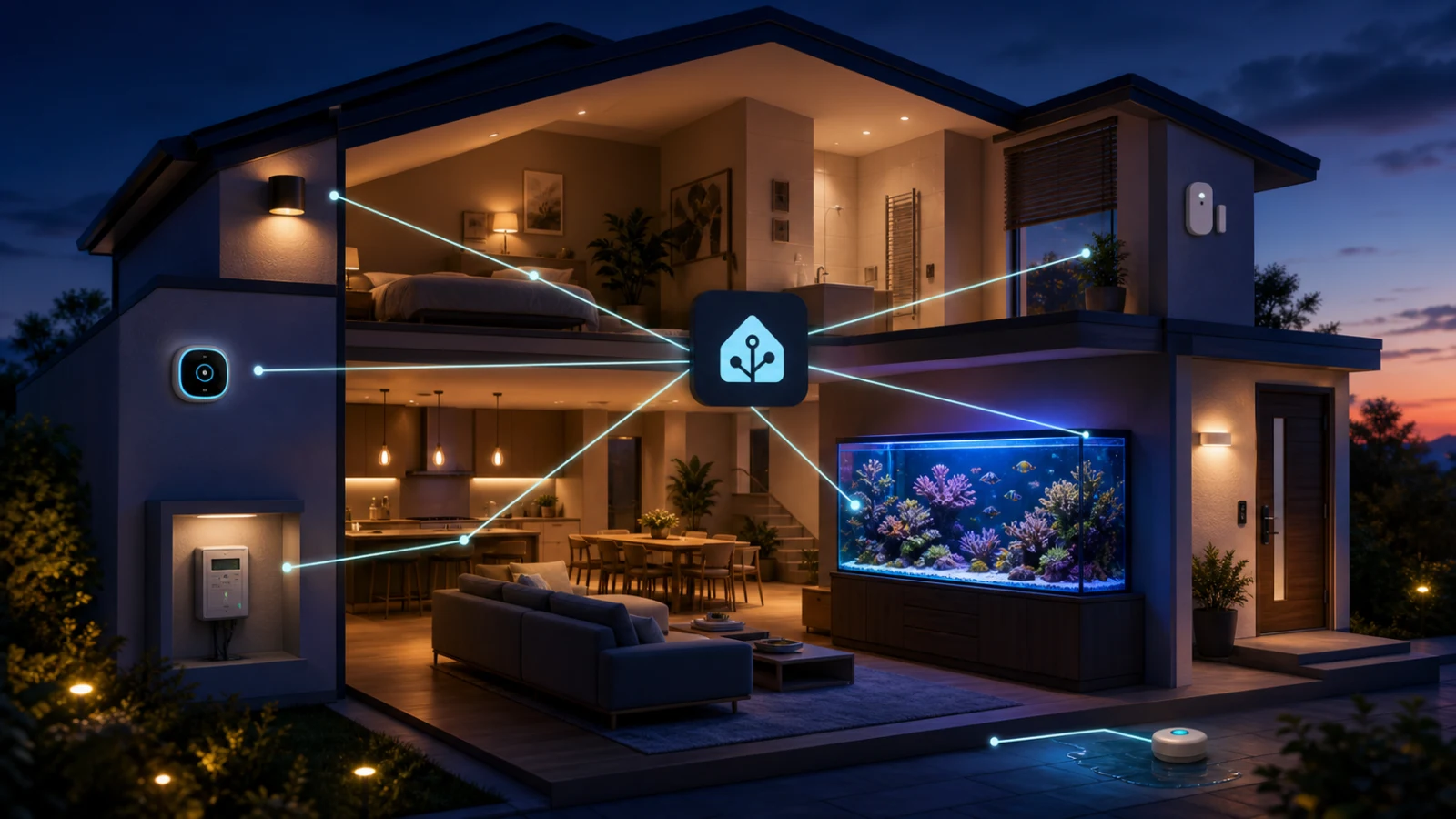
Home Assistant is an open-source smart home platform that runs on hardware in your home. It connects compatible lights, plugs, thermostats, locks, sensors, cameras, speakers, appliances, energy meters, and online services, then represents them in one system you control.
A normal manufacturer app lets you use one brand. Home Assistant is the layer above those apps. It can notice that a leak sensor from one company is wet, flash lights from another company, pause a compatible water valve, send a phone notification, and record when it happened. The useful idea is not “control everything from one screen.” It is “let different parts of the home understand the same situation.”
Home Assistant is local-first, not local-only. When a device supports direct local communication, Home Assistant can keep its control and data inside the home. Cloud-dependent products can still require their manufacturer’s servers, and optional Home Assistant Cloud services can add remote access and voice connections. Your privacy and outage resilience therefore depend on the devices and integrations you select, not only on the Home Assistant logo.
What makes it different from a pile of smart-device apps
A collection of smart devices is not automatically a smart home. Ten separate apps can still leave ten separate schedules, accounts, notification styles, histories, and points of failure. Home Assistant builds a shared model of the home: devices belong to rooms and floors, sensors have states, people can have presence, and automations can respond to several pieces of context at once.
That shared model makes ordinary devices more useful. A door contact is no longer only a door contact. It can stop the heat when a window is open, prevent a robot vacuum from entering a room, remind you that the garage was left open, or explain why the house took longer to warm up. One measurement can inform several decisions without buying a new subscription for each one.
Home Assistant also gives the owner unusual freedom. You choose the dashboard, history, notifications, voice system, automation logic, and how much cloud access to allow. That freedom is exactly why enthusiasts love it. It is also why a good installation takes planning.
20 practical reasons people use Home Assistant
The best reasons are not futuristic party tricks. They are small reductions in uncertainty, waste, repetition, and risk. You do not need all 20. Two or three reliable improvements can justify the system.
- One view across brands. Put compatible lighting, climate, security, media, appliances, energy, and sensors on dashboards organized around your rooms instead of their manufacturers.
- Automations that cross ecosystems. A sensor from one brand can trigger a device from another when both have working integrations.
- Local operation. Devices with local integrations can keep working on your network during an internet outage and avoid sending every interaction through a vendor cloud.
- More control over privacy. Home Assistant stores its own data locally, lets you decide what to expose to voice assistants, and does not require a Home Assistant cloud account for core local use.
- Useful phone alerts. Send a notification for a leak, smoke alarm, freezer temperature, open garage, offline device, or low battery instead of hoping someone notices a dashboard.
- Leak detection and faster response. Place inexpensive sensors near a washer, water heater, sink, sump, or aquarium and connect the alert to lights, phones, sirens, or a compatible shutoff valve.
- Energy visibility. Combine utility meters, solar, batteries, electric vehicles, and compatible device-level monitors to see when and where energy is being used.
- Lower avoidable energy use. Reduce heating or cooling when windows are open, turn off forgotten loads, and schedule flexible work for cheaper or cleaner hours.
- Climate that follows real conditions. Use room temperature, humidity, occupancy, sun exposure, weather, and window state together instead of relying on one thermostat reading.
- Lighting that feels natural. Adjust brightness and color temperature by time, daylight, motion, room use, or a household mode without replacing every wall switch with a phone.
- Presence-aware routines. Set the house to away when everyone leaves, prepare selected rooms before someone returns, and avoid running empty-room automations.
- Safer nighttime movement. Use dim path lighting for hallways, stairs, and bathrooms without turning on the whole house.
- Better accessibility. Voice, large dashboards, wireless buttons, presence sensing, and automated routines can reduce physical steps for people with limited mobility or vision.
- Maintenance before failure. Centralize low-battery warnings, filter reminders, device availability, abnormal runtime, and other early signs that equipment needs attention.
- History that explains events. Review when a door opened, a pump stopped drawing power, a room heated up, or humidity climbed instead of diagnosing from one current reading.
- Vacation confidence. Check key sensors, receive alerts, vary compatible lights, and confirm that routines ran while the house is empty.
- Flexible dashboards. Give a wall tablet, phone, desktop, guest room, or family member a view that shows only what is useful there.
- Private voice options. Home Assistant Assist can run locally on suitable hardware, while cloud voice and large-language-model options remain choices rather than requirements.
- Freedom from one vendor’s ecosystem. A mixed home can evolve one device at a time, although every purchase still needs a compatibility check.
- A platform for experimentation. Blueprints, helpers, scripts, templates, dashboards, ESPHome, MQTT, and community integrations give technically curious owners room to build exactly what they want.
How an automation actually works
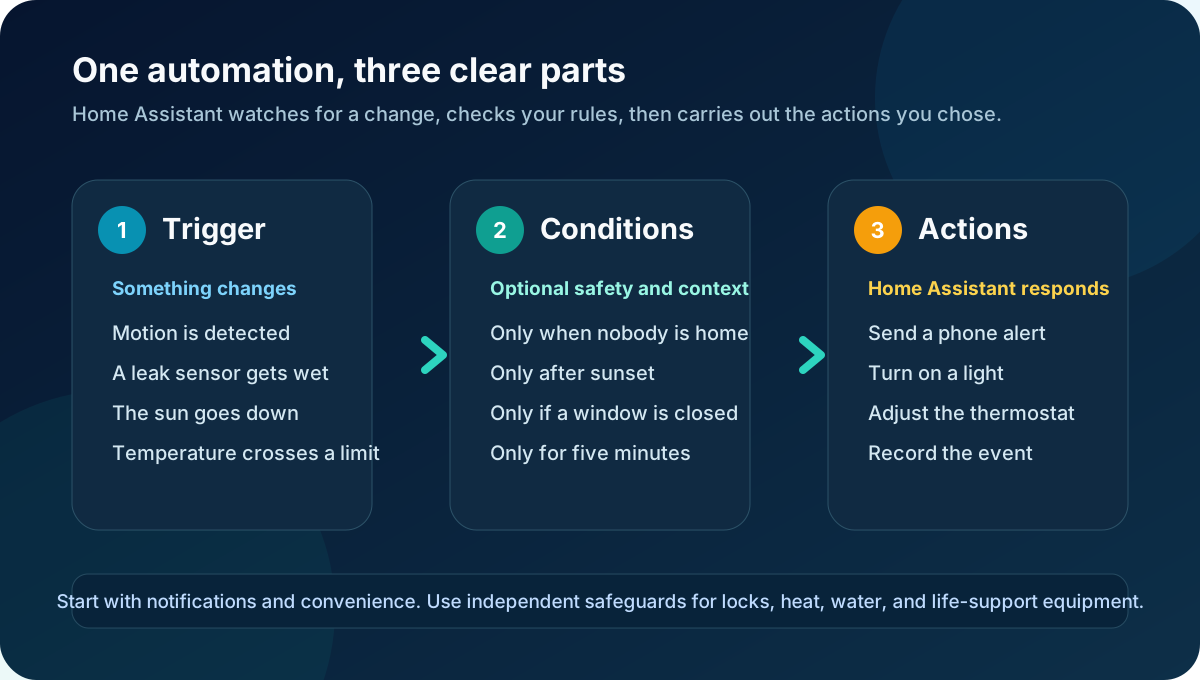
Most automations have three parts. A trigger starts the evaluation. Conditions decide whether the situation is right. Actions describe what happens next. For example: when the laundry leak sensor becomes wet, if nobody has already acknowledged the alert, send critical phone notifications, turn selected lights blue, and close a compatible main-water valve.
The condition is what separates a thoughtful automation from a blunt timer. Motion might turn on a hallway light only after sunset. A thermostat adjustment might happen only when a window is closed. A notification might wait until a value has been abnormal for five minutes so one brief sensor wobble does not create panic.
An automation can be convenient without being trusted as a safety controller. Locks, heat, water, fire alarms, medical equipment, and aquarium life-support deserve independent physical safeguards and a safe failure mode. Home Assistant can add awareness and coordination, but its server, network, radio, integration, and target device can each fail.
What you need to run it
Home Assistant is software, so it needs an always-on computer. It can run as a dedicated system on compatible hardware, inside a virtual machine, or as a container on a computer or server you already manage. The right path depends on whether you want a dedicated smart-home host or prefer to maintain it alongside other services. Container installations require more manual administration and do not include the app system available in Home Assistant OS.
The computer is only the first layer. Wi-Fi devices join your existing network. Zigbee or Z-Wave devices need the matching radio and a healthy mesh. Matter devices use Wi-Fi or Thread, and Thread devices need a border router. Bluetooth range, network segmentation, multicast discovery, fixed IP assumptions, vendor clouds, and USB radio placement can all affect reliability.
You also need to check each product before buying it. “Works with Alexa” does not automatically mean it works locally with Home Assistant. Thread does not automatically mean Matter. A device shown in a community video may use an unofficial integration that later changes. The integration page, supported features, connection type, and recent issue history matter more than a compatibility logo on a marketplace listing.
The honest learning curve
Home Assistant has become much friendlier, and much of it can now be configured through the interface. It is still closer to owning a small household server than plugging in one ordinary appliance. Someone has to understand the network, add integrations, name devices, organize rooms, test automations, install updates, keep backups, and investigate failures.
The difficult part is rarely one dramatic technical problem. It is the number of layers. A light can disappear because the bulb lost power, Wi-Fi changed, a Zigbee route failed, a cloud token expired, an integration changed, the Home Assistant host stopped, or an automation condition was false. Troubleshooting means narrowing those layers instead of repeatedly pressing the same button.
- Hardware choice: appliance, single-board computer, virtual machine, NAS, or container
- Network design: Ethernet, Wi-Fi quality, VLANs, discovery, DNS, and stable addressing
- Radio design: Zigbee, Z-Wave, Bluetooth, Thread, coordinators, border routers, range, and interference
- Compatibility: official local integration, official cloud integration, Matter, or community-maintained component
- Administration: updates, backups, restore testing, storage health, logs, and security
- Human factors: clear names, manual controls, family acceptance, notification fatigue, and safe fallbacks
Remote access deserves special care. Do not simply expose Home Assistant’s port to the public internet. Use a supported secure remote-access method, strong unique passwords, multifactor authentication, limited administrator access, current software, and backups stored somewhere beyond the Home Assistant machine.
Why reef aquariums still feel left behind
Search the Home Assistant integration catalog and you will find mature categories for lighting, thermostats, locks, media, energy, weather, and general sensors. Reef aquariums are different. There are real hobby projects, generic sensors, smart plugs, power monitors, and ways to connect some established aquarium controllers. What is missing is a broad, standardized, plug-and-play category of reef equipment that consistently exposes useful local data to Home Assistant.
Aquarium equipment is specialized and the market is much smaller than household lighting or climate. Many products were designed around a dedicated controller, a Bluetooth phone app, or a manufacturer cloud before local smart-home interoperability became a selling point. Some have no documented local API. Others expose only a generic on-or-off state when the aquarist actually needs temperature, speed, mode, flow, alarm state, power, calibration, and probe health.
The semantics matter too. Home Assistant can know that a smart plug is on and drawing 42 watts, but it does not automatically know that the plug powers the return pump for the display tank, that 42 watts is normal, or that an outage threatens circulation. A temperature entity does not identify which tank it belongs to, whether it is the primary probe, or what range is appropriate for those animals. Turning raw entities into trustworthy aquarium meaning takes configuration.
This is why many Home Assistant reef setups are assembled rather than purchased. An aquarist might combine a general leak sensor, a temperature probe, power-monitoring plugs, an ESPHome project, MQTT, and a community integration. That can be powerful, but the owner becomes the system integrator. They must solve enclosure safety, saltwater corrosion, electrical isolation, calibration, naming, dashboards, updates, and failure handling.
Generic smart plugs also need restraint. They can observe power and switch loads, but a remote toggle is not automatically safe for a return pump, heater, doser, or other life-support device. Monitoring a device is a lower-risk job than controlling it. Any control automation should be designed around the equipment manufacturer’s requirements, independent limits, manual recovery, and the consequences of a stuck-on or stuck-off failure.
A sensible way to start
Start with one problem, not a shopping spree. A leak alert beside the water heater, a reminder that the garage is open, a low-battery dashboard, or one energy monitor teaches the system with a clear payoff. Keep the manufacturer’s normal controls working while you learn what Home Assistant adds.
Prefer local, officially supported integrations when the device choice is otherwise equal. Give every device a clear name. Organize areas early. Make a backup before major changes. Update deliberately, read breaking-change notes, and test the restore path before the server fails. For important routines, make sure a failed automation leaves the home in a safe and understandable state.
- Choose the first outcome you want and define how you will know it works
- Check the exact model in the official integration documentation before buying
- Begin with visibility and notifications before automatic control
- Keep physical switches and manufacturer controls available
- Use conservative alert thresholds and delays to avoid notification fatigue
- Back up automatically to another location and keep the recovery key safe
- Document critical automations so another person can understand or disable them
The bottom line
Home Assistant is valuable because it turns separate devices into a home-wide system that you own and can shape. It can improve awareness, comfort, accessibility, energy decisions, maintenance, and resilience while reducing dependence on a single brand. No single benefit requires a sci-fi house. The best installations quietly solve ordinary problems.
It is not effortless. The flexibility comes from supporting many devices, networks, radios, installation methods, and automation styles. That creates choices, maintenance, and failure modes. People who enjoy understanding their systems often find that rewarding. People who want every product to behave like a toaster may find it frustrating.
Reef aquariums make that gap especially visible. The smart-home pieces exist, but broad plug-and-play aquarium interoperability does not. Today, a capable reef setup in Home Assistant is usually built from compatible parts and careful configuration. That makes it a fascinating platform for a technically curious aquarist, but not yet a simple default recommendation for every reef keeper.